

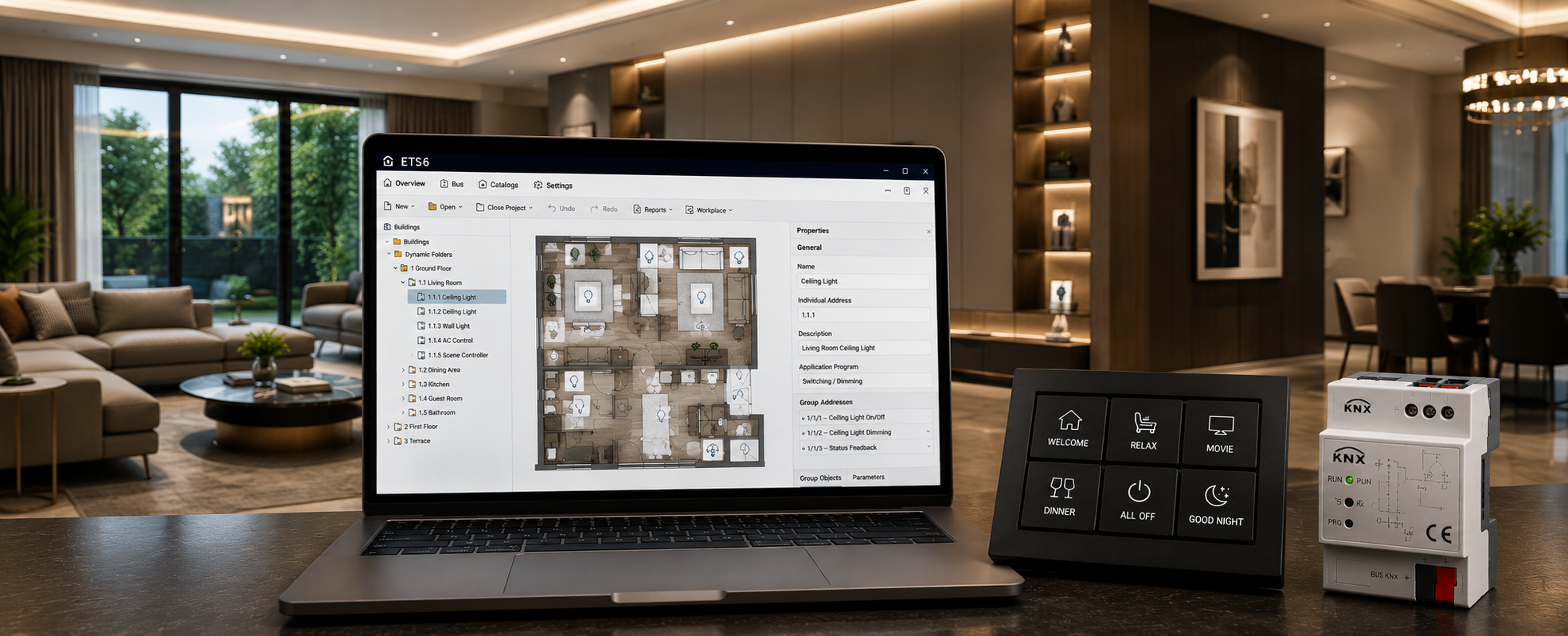
Most homeowners who invest in a KNX smart home hear the term
ETS6 at some point during the project - usually from their integrator, during a
handover meeting, or on a quote document.
Very few understand what it actually means. And that lack of
understanding costs them.
A homeowner who does not understand ETS6 cannot verify
whether their integrator has done the job properly. They cannot check whether
they will receive the project file at handover. They cannot assess whether the
company they are hiring has genuine KNX certification or is simply selling
KNX-branded hardware with basic programming.
This guide explains ETS6 in plain language - what it is, how
it works, and why it is the single most important differentiator between a
professionally integrated KNX smart home and an expensive disappointment.
Neha Aggarwal, Founder of Techvault and Director of KNX India for North India, explains it simply: "ETS6 is not just software - it is the qualification test. Any integrator who cannot show you a live ETS6 project file from a completed installation is not a KNX integrator. They are a hardware reseller."
What is ETS6? - Direct Definition
ETS6 stands for Engineering Tool Software version 6.
It is the official programming and commissioning software developed and
maintained by the KNX Association - the international body that governs the KNX
standard (ISO/IEC 14543-3).
Every KNX device - whether it is a dimmer actuator from ABB,
a keypad from Basalte, a thermostat from core, or a blind control module from
Gira - is programmed exclusively through ETS6. No other software can commission
a KNX device: no app, no web interface, no third-party tool.
This is by design. KNX's open standard architecture
means any certified manufacturer can make KNX devices. Still, the programming
language - and therefore the quality of the final installation - is entirely
determined by the integrator's skill with ETS6.
In India, ETS6 licences are available only through the KNX Association and their certified training programme. A company claiming to install KNX systems without ETS6 access is not installing genuine KNX - they are installing KNX-branded hardware with incomplete or incorrect programming.
How Does ETS6 Programming Work?
ETS6 programming involves five stages — each requiring
technical knowledge that takes months to develop properly.
Stage 1 - Product Database Import
Every KNX device has a manufacturer-specific ETS Product
Database file (.knxprod). The integrator imports this file into ETS6, which
loads all the device's available data point types (DPTs) - the specific
data formats the device can send and receive.
For example, a DALI dimmer actuator has DPTs for:
- Switching
(on/off) — DPT 1.001
- Relative
dimming (brighter/darker) — DPT 3.007
- Absolute
dimming (set to specific %) — DPT 5.001
- Scene
recall — DPT 18.001
- Status
feedback — DPT 1.001
Understanding which DPT to use for which function — and why
— is where integrator expertise begins.
Stage 2 - Group Address Structure
Group addresses are the core of KNX programming. A
group address is like a communication channel — any device that shares a group
address can communicate with each other.
Standard group address structure (3-level):
|
Level |
Range |
Purpose |
Example |
|
Main Group |
0–31 |
System area |
1 = Lighting |
|
Middle Group |
0–7 |
Zone / Room |
1/2 = Living Room |
|
Sub Group |
0–255 |
Function |
1/2/1 = On/Off |
A well-structured group address plan is the difference
between a system that is easy to modify later and one that requires complete
reprogramming for any change.
In our projects across Delhi NCR and Noida, we follow a
standardised group address structure — Main Group by system type, Middle Group
by room, Sub Group by function. This means any certified KNX integrator in the
world can open the project file and immediately understand the installation.
Stage 3 - Device Parameter Configuration
Each KNX device has configurable parameters — settings that
define exactly how it behaves. A dimmer actuator, for example, has parameters
for:
- Minimum
dimming level — how low the light can dim before switching off
- Dimming
speed — how fast or slow the light transitions
- Switch-on
behaviour — does it return to the last brightness or a preset level
- Time
delays — staircase lighting timers, off-delay settings
- Bus
voltage recovery — what happens when power is restored after an outage
Getting these parameters right requires understanding both
the technical specification of the device and the practical expectations of the
homeowner. This is where experienced integrators produce noticeably better
results than those who install KNX but use default parameter settings
throughout.
Stage 4 - Scene and Logic Programming
Scenes in ETS6 are pre-programmed states — a
"Movie Night" scene might set the living room lights to 5% warm
white, close the motorised blinds, lower the projection screen, and activate
the AV system — all triggered by one button press.
Logic functions go further. KNX supports:
|
Logic Type |
Function |
Example |
|
AND/OR gates |
Combine sensor inputs |
Motion detected AND dark outside → lights on |
|
Time channels |
Schedule-based triggers |
Lights off at 11 PM if no motion for 30 mins |
|
Threshold comparators |
Value-based triggers |
If temperature > 28°C → activate AC |
|
Scene controllers |
Multi-device state recall |
"Leave Home" → all lights off, AC off, alarm on |
|
Staircase function |
Auto-off after delay |
Corridor lights off 3 minutes after the last motion |
In a recent project for a 4,500 sq ft villa in Gurgaon DLF
Phase 2, we programmed 14 scenes across 6 zones — including a
"Diwali" lighting scene with warm amber cove lighting at 30% and
facade accent lights at full RGB amber, activated with one keypad press.
Stage 5 - Download and Commissioning
Once programming is complete in ETS6, the project is
downloaded to each device individually via the KNX programming interface
(USB or IP). Each device receives its individual address, group address links,
and parameter configuration.
Commissioning involves physically pressing the
programming button on each device, then confirming the download. For a large
villa with 80–120 KNX devices, commissioning alone takes 4–6 hours.
What is the KNX ETS Project File - And Why Should You Demand It?
The ETS project file (.knxproj) is the complete
record of your KNX installation — every device, every group address, every
parameter, every scene — stored in a single file.
This file is your property. A professional KNX integrator
provides it at handover without question.
Why the ETS project file matters:
|
Situation |
Without the ETS File |
With the ETS File |
|
You want to add a new room |
Integrator must reprogram from scratch |
Any certified integrator opens the file and adds the room |
|
Original integrator is unavailable |
The system cannot be modified or expanded |
Any KNX integrator worldwide can take over |
|
A device fails after the warranty |
Replacement device needs reprogramming |
New integrator reprograms from your file |
|
You want to change a scene |
Cannot be done without original programming |
10-minute change in ETS6 |
|
System audit or verification |
Cannot verify what was programmed |
Full audit possible |
In India, many KNX installations are completed without the
ETS project file being handed over to the client — either because the
integrator has not properly documented the project, or because they use the
file as leverage for future work. Both are unacceptable.
At Techvault, every client receives their complete ETS6
project file at system handover — as standard, not as an optional extra.
ETS6 vs Consumer Smart Home Apps - The Real Difference
Understanding ETS6 helps explain why KNX installations
fundamentally outperform consumer smart home systems — not because of the
hardware, but because of the programming depth.
|
Feature |
Consumer App (Alexa/Google) |
ETS6 KNX Programming |
|
Programming interface |
Visual app, drag-and-drop |
Engineering software, parameter-level |
|
Logic capability |
Basic if-then rules |
Full Boolean logic, time channels, threshold |
|
Scene complexity |
3–5 device states |
Unlimited devices, unlimited parameters |
|
Internet dependency |
Required for most functions |
Zero — fully local |
|
Response time |
0.5–2 seconds (cloud round trip) |
10–50 milliseconds (local bus) |
|
Modification |
App-based, anyone can change |
ETS6 required — controlled changes |
|
Documentation |
None |
Complete project file |
|
Lifespan |
3–5 years (app/server dependency) |
25–30+ years |
The 10–50 millisecond response time of KNX is not a
marketing claim — it is the physical characteristic of the TP bus protocol.
When you press a Basalte keypad in a KNX home, the light responds before your
finger leaves the button. This is not possible with cloud-dependent consumer
systems, regardless of their Wi-Fi speed.
Who Can Programme KNX in ETS6 in India?
ETS6 is not freely available. Access requires:
- KNX
Basic or Advanced training — certified courses run by KNX India or
accredited training centres
- ETS
licence purchase — commercial licences from the KNX Association
- Manufacturer-specific
product database files — provided by ABB, Basalte, Gira, Schneider, core, etc.
In India, the number of genuinely certified KNX programmers
remains small relative to the growing demand for KNX installations. This is
precisely why buyers should verify certification before engaging any KNX
integrator.
Neha Aggarwal, who serves as Director of KNX India
for North India and oversees KNX training and certification in the region,
notes that a significant portion of KNX installations in India are completed by
uncertified individuals who have learned basic device wiring but have never
completed formal ETS6 training. The result: systems that work partially,
scenes that conflict, and homeowners who cannot get their installation expanded
or serviced because no proper project file exists.
How to verify KNX certification:
- Ask
for the KNX Association certificate number
- Verify
on the KNX Association's partner directory at knx.org
- Request
to see an ETS6 project file from a previous installation
What Does ETS6 Programming Cost in India?
ETS6 programming is typically included within the overall
project cost for a KNX installation — it is not billed separately in most
professional quotes. However, for clients who have existing KNX hardware and
need reprogramming or expansion work, programming is billed per day or per
project scope.
|
Programming Scope |
Indicative Time |
Indicative Cost |
|
2BHK apartment (20–30 devices) |
1–2 days |
₹15,000–30,000 |
|
3BHK villa (40–60 devices) |
2–3 days |
₹25,000–50,000 |
|
Large villa (80–120 devices) |
4–6 days |
₹50,000–1,00,000 |
|
Commercial project (200+ devices) |
8–15 days |
₹1,00,000–2,50,000 |
FAQs
What is ETS6 in KNX?
ETS6 (Engineering Tool Software
6) is the official KNX Association programming software used to configure every
device in a KNX smart home — assigning group addresses, setting device
parameters, programming scenes, and commissioning the complete installation. It
is the only tool that can program genuine KNX devices.
Is ETS6 free to use?
ETS6 has a free version (ETS6
Lite) limited to 5 devices — suitable only for learning. Professional
installations require a commercial ETS6 licence, available through the KNX
Association. The full commercial licence costs approximately €350–500 per year.
What is a KNX group address?
A group address is a
communication channel in a KNX installation — any device linked to the same
group address can communicate. For example, a light switch and a dimmer
actuator share a group address so that pressing the switch controls the dimmer.
Group addresses are structured in a 3-level hierarchy and documented in the
ETS6 project file.
What is an ETS project file?
An ETS project file
(.knxproj) is the complete digital record of a KNX installation — every device,
address, parameter, and scene stored in a single file. Every KNX client should
receive this file at handover. It allows any certified integrator to modify,
expand, or service the system in future.
Can I programme KNX myself without certification?
Technically, yes — ETS6 Lite is free and available online. Practically,
programming a complete KNX installation correctly requires an understanding of
group address structure, data point types, device parameters, and logic
programming that takes months of training to develop. Incorrect programming
results in unreliable automation, energy waste, and systems that cannot be
easily corrected.
Why should I ask for the ETS project file from my KNX integrator?
The ETS project file is your property — it contains the
complete programming of your home's KNX system. Without it, you are permanently
dependent on the original integrator for any changes, expansions, or repairs. A
professional KNX ETS6 programming India partner provides this file at handover as
standard.