

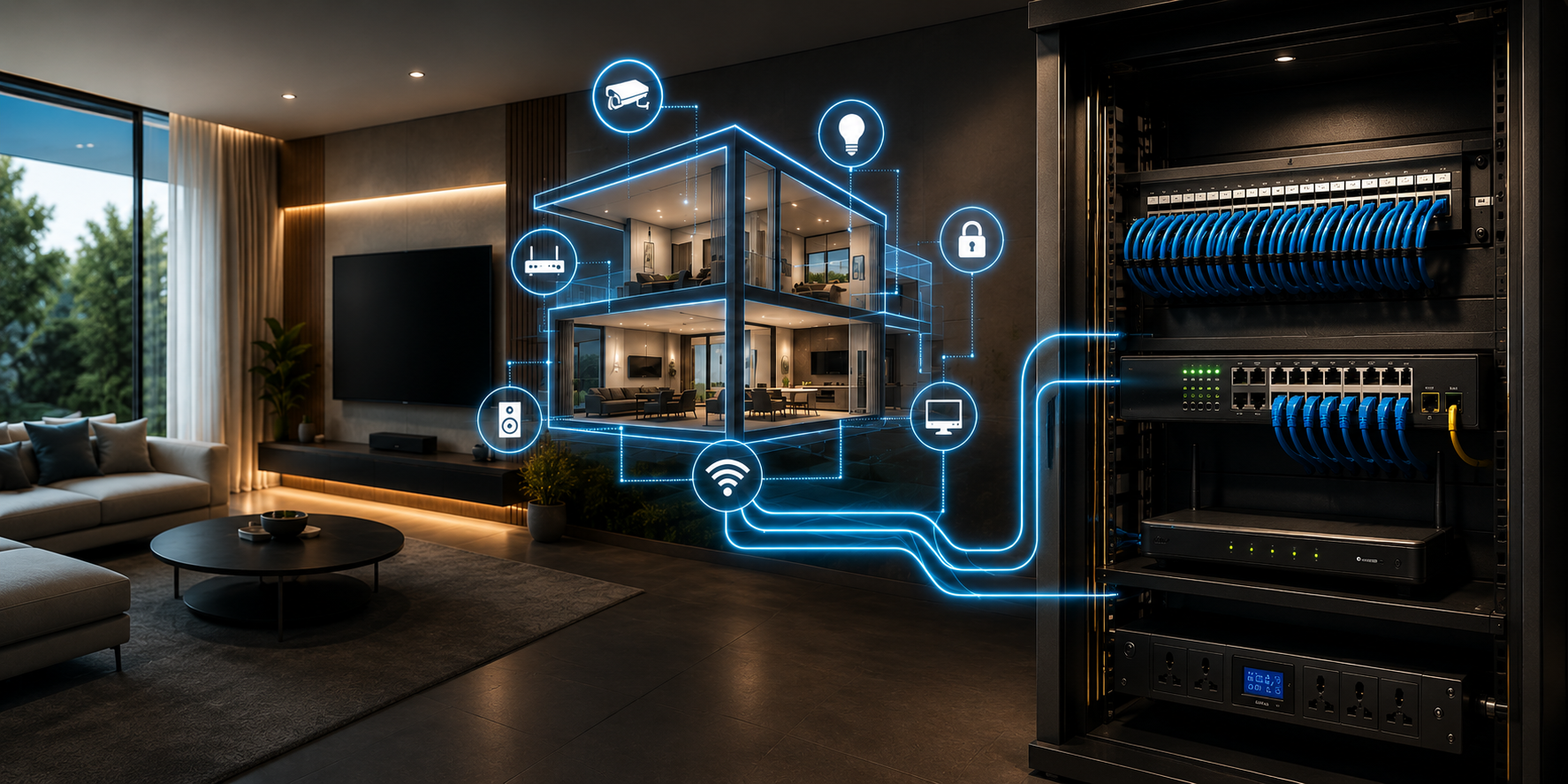
Home networking for smart home automation in India requires a stable, structured network infrastructure, including a wired backbone, managed switches with PoE capability, VLAN segmentation for IoT devices, and reliable Wi-Fi coverage, before any KNX, security, or AV system is installed. A weak network is the single most common reason smart home systems underperform after installation.
Most homeowners focus entirely on choosing the right automation brands, KNX, Basalte, Ajax, without realising that the network supporting those devices determines whether the entire system works reliably or fails unpredictably. We have walked into completed projects in Delhi NCR, Noida, and Gurgaon, where expensive automation systems performed poorly, not because of the automation hardware, but because the underlying network was never properly designed.
Why Does Your Smart Home Need a Proper Network?
A KNX-based lighting or climate system operates on its own dedicated TP bus cable — completely independent of your Wi-Fi or internet connection. This is one of KNX's core advantages. However, every other component in a modern smart home — IP cameras, video door phones, music streaming systems, smart TVs, AV receivers, NAS drives, and voice assistants — communicates over your home network.
When all these devices share an unmanaged network without proper segmentation or bandwidth allocation, problems appear quickly.
Common symptoms of a poorly networked smart home:
- IP cameras freeze or go offline intermittently
- Video door phone video stutters during calls
- Smart speakers stop responding to voice commands
- Multi-room audio drops between zones
- App control is slow or unresponsive despite being on the same Wi-Fi
In our experience across hundreds of installations in Delhi, Gurgaon, and Jaipur, the network is the invisible foundation of every smart home. You cannot see it, but every system in the home depends on it.
Wired vs Wireless: Which Should Your Smart Home Use?
The Non-Negotiable Case for a Wired Backbone
For any smart home installation beyond basic automation, a wired network backbone is essential. Wi-Fi alone — regardless of how expensive the router is — cannot reliably handle the simultaneous demands of IP cameras, video intercoms, streaming audio, and automation controllers.
Why wired is always better for critical devices:
| Device Type | Connection | Why |
|---|---|---|
| NVR / IP Camera System | Wired Cat6 with PoE | Continuous high-bandwidth video stream |
| Video Door Phone | Wired Cat6 | Reliable two-way video, no latency |
| NAS / Media Server | Wired Cat6 | High-speed file transfer, streaming |
| KNX IP Gateway | Wired Cat6 | Remote access reliability |
| AV Receiver / Amplifier | Wired Cat6 | Stable control and streaming |
| Smart TV / Projector | Wired Cat6 preferred | Eliminates buffering |
| Mesh Wi-Fi Access Points | Wired Cat6 backhaul | Eliminates wireless bottleneck |
| Laptops / Phones | Wi-Fi acceptable | Mobile devices, lower priority |
| Smart Speakers | Wi-Fi acceptable | Voice control, light bandwidth |
The principle is simple: anything that is fixed in position and bandwidth-critical gets a wired connection. Everything else uses Wi-Fi.
Which Cable Should You Use: Cat6 or Cat6A?
Choosing the Right Data Cable for Indian Homes
For most Indian residential installations, Cat6 (Category 6) is the correct specification. It supports speeds up to 10 Gbps over 55 metres and 1 Gbps over 100 metres — more than sufficient for any current or near-future home application.
Cat6A, the augmented version, supports 10 Gbps over the full 100 metres and is recommended for:
- Large homes above 5,000 sq ft where cable runs exceed 55 metres
- Home offices with professional-grade requirements
- Installations where future-proofing for 25 Gbps or 40 Gbps is desired
| Specification | Cat6 | Cat6A |
|---|---|---|
| Max speed | 10 Gbps (to 55m) / 1 Gbps (to 100m) | 10 Gbps (to 100m) |
| Frequency | 250 MHz | 500 MHz |
| Cable diameter | Thinner, easier to pull | Thicker, harder in tight conduits |
| Cost (India) | ₹12–18 per metre | ₹22–35 per metre |
| Connector | RJ45 standard | RJ45 — shielded preferred |
| Best for | Most Indian homes | Large villas, offices, and future-proof |
Important for Indian construction: Always specify solid-core Cat6 (not stranded) for in-wall installations. Solid core handles permanent fixed runs better. Stranded cable is for patch leads — the short cables between wall outlets and devices.
What is a PoE Switch and Why Does Every Smart Home Need One?
Power over Ethernet — Simplifying IP Camera and VDP Installation
PoE (Power over Ethernet) delivers both data and electrical power over a single Cat6 cable. This eliminates the need for a separate power supply at every IP camera, video door phone, Wi-Fi access point, and IP intercom location.
In a typical smart home installation, a managed PoE switch in the home's distribution board location powers and connects:
- All IP security cameras (typically 8–24W per camera)
- Video door phone units
- Wireless access points (WAPs)
- IP intercoms
- KNX IP interface (in some configurations)
PoE Standards — what to specify:
| Standard | Power Delivered | Suitable For |
|---|---|---|
| PoE (802.3af) | 15.4W per port | Basic IP cameras, WAPs |
| PoE+ (802.3at) | 30W per port | PTZ cameras, high-end WAPs |
| PoE++ (802.3bt) | 60W / 100W per port | Video door stations, multi-radio WAPs |
For a standard Indian home with 4–8 cameras and 2–4 wireless access points, a 16-port or 24-port PoE+ managed switch from brands such as TP-Link (TL-SG2218P), Ubiquiti UniFi, or Cisco SG Series is the appropriate specification.
What Is VLAN and Why Does Your Smart Home Need It?
Network Segmentation for Security and Performance
VLAN (Virtual Local Area Network) divides one physical network into multiple isolated logical networks. For smart homes, VLAN segmentation serves two critical purposes: security and performance.
Why security matters: Every IoT device — a smart camera, a smart bulb, even a smart TV — is a potential entry point for a network intrusion. If all your devices are on the same network as your laptop and phone, a compromised IoT device can potentially access your personal data. VLAN segmentation isolates IoT devices so that a compromised camera cannot reach your laptop.
Why performance matters: IP cameras generate continuous high-bandwidth video streams. Without VLANs, this traffic floods the entire network, causing congestion that affects every other device. Placing cameras on a dedicated VLAN ensures their bandwidth consumption is isolated.
Recommended VLAN structure for Indian smart homes:
| VLAN | Name | Devices | Access Level |
|---|---|---|---|
| VLAN 10 | Management | Network switches, router | Admin only |
| VLAN 20 | Trusted | Laptops, phones, personal devices | Full internet |
| VLAN 30 | IoT / Automation | Smart switches, KNX gateway, automation | Internet limited |
| VLAN 40 | Cameras | IP CCTV, NVR, video door phone | Local only — no internet |
| VLAN 50 | Guest | Visitor Wi-Fi | Internet only — no local access |
This structure requires a managed switch (not a basic unmanaged switch) and a router with VLAN capability — such as a Ubiquiti UniFi Dream Machine, TP-Link Omada gateway, or pfSense router.
Wi-Fi Coverage for Smart Homes - Why Consumer Routers Are Not Enough
Mesh Wi-Fi vs Single Router vs Access Points
The single most common networking mistake in Indian smart home installations is using a consumer-grade single router — even a premium one — to cover a large home. A single router, regardless of its specifications, creates coverage dead zones in multi-floor homes, large apartments, and villas with thick concrete walls.
Three options for whole-home Wi-Fi coverage:
Option 1 — Consumer Mesh Wi-Fi (Budget: ₹8,000–₹25,000) Brands: TP-Link Deco, Google Nest, Amazon Eero Best for: Small to medium apartments (up to 2,500 sq ft), basic automation needs Limitation: No VLAN support on most consumer mesh systems, wireless backhaul reduces throughput
Option 2 — Prosumer Mesh Wi-Fi (Budget: ₹25,000–₹60,000) Brands: TP-Link Deco XE75 Pro, ASUS ZenWiFi Pro, Netgear Orbi Best for: Medium villas (2,500–5,000 sq ft), supports basic VLAN Limitation: Limited enterprise management features
Option 3 — Enterprise Access Points with Wired Backhaul (Budget: ₹40,000–₹1,20,000+) Brands: Ubiquiti UniFi, TP-Link Omada, Cisco Meraki Best for: Large villas, luxury homes, commercial installations Advantage: Full VLAN support, centralised management, wired backhaul eliminates bottlenecks, scales indefinitely
Our recommendation for any smart home above 3BHK in India: Enterprise-grade access points with wired Cat6 backhaul. The additional cost — typically ₹8,000–₹15,000 per access point versus ₹3,000–₹6,000 for consumer units — is negligible compared to the total automation investment and delivers significantly better reliability.
Network Planning for Under-Construction Homes in India
What to Specify Before Plastering
If your home is currently under construction, the network infrastructure phase is the most important and the most time-sensitive. Once walls are plastered, retrofitting a structured cabling system costs 10–15 times more than planning it during construction.
Minimum network specification for a 3BHK smart home:
During the electrical phase, specify the following alongside the electrical conduit work:
1. Home Distribution Board (HDB) location: A dedicated 600mm × 600mm or larger wall cavity near the electrical DB for network equipment — managed switch, router, patch panel, and UPS.
2. Cat6 home runs to every room: One Cat6 cable run to every room's TV point, one to every bedroom desk position, and two to the living room. All cables home-run back to the HDB — star topology, not daisy-chained.
3. Cat6 to all camera positions: One Cat6 to each planned camera location — entrance, parking, all four perimeter corners, internal common areas.
4. Cat6 to access point positions: One Cat6 to ceiling or high-wall position in each major zone: living room, master bedroom, kitchen/dining, and each floor of a multi-floor home.
5. Cat6 to video door phone positions: One Cat6 to each entrance where a video door phone will be installed.
6. Separate conduit for KNX TP cable: KNX bus cable (LIYY 2×2×0.8mm) must run in a separate conduit from data cables to avoid interference.
What to Do If Your Home Is Already Built
Networking Retrofit Options for Ready Homes in India
Most Indian homeowners approaching us for smart home automation have already completed their homes. A full structured cabling retrofit is not always practical, but several options deliver excellent results:
Option 1 — MoCA (Multimedia over Coax Alliance): If your home has existing coaxial cable (common in older Delhi and Mumbai buildings), MoCA adapters convert coax into a wired Ethernet backbone at speeds up to 2.5 Gbps. Cost: ₹8,000–₹15,000 for 2 adapter pairs.
Option 2 — Powerline Networking Uses existing electrical wiring to carry network data. Speed and reliability vary significantly with wiring quality. Not recommended for camera backhaul, but acceptable for access point connections.
Option 3 — Wireless Backhaul Mesh with Wired Drop Points: Install enterprise mesh access points wirelessly where ceiling access is unavailable, but physically run Cat6 drops to critical devices (NVR, KNX gateway, AV equipment) through surface conduit or under floor covers.
Option 4 — Partial Structured Cabling During False Ceiling Work: The most cost-effective window for retrofit networking is during any false ceiling renovation. Even running 4–6 key Cat6 cables during this phase — to cameras, access points, and the AV rack — dramatically improves the network foundation without full civil disruption.
People Also Ask
Do I need a separate network for my smart home automation system?
KNX-based automation runs on its own dedicated TP bus cable and does not require a home network for local operation. However, all IP-based components — cameras, video door phones, wireless access points, AV systems, and remote access — require a properly designed home network. VLAN segmentation is strongly recommended to isolate IoT devices from personal devices.
What is the minimum internet speed needed for a smart home in India?
For local operation, internet speed is irrelevant — KNX systems work entirely offline. For remote access, cloud streaming from IP cameras, and smart speaker voice processing, a minimum of 50 Mbps broadband with low latency is recommended. For 4K camera streaming remotely, 100 Mbps or higher is preferred.
Can I use a basic TP-Link or D-Link router for my smart home in India?
A basic consumer router is sufficient for a 2BHK apartment with a few smart switches and a video doorbell. For any installation involving multiple IP cameras, video door phones, a KNX system, and whole-home audio, a managed switch and enterprise-grade Wi-Fi access points are required for reliable performance.
How many Wi-Fi access points do I need for my home in India?
A general rule: one access point per 1,000–1,500 sq ft of covered area, placed centrally in each zone. A 3BHK apartment of 1,800 sq ft typically needs 2 access points. A 4,500 sq ft villa typically needs 4–5 access points for complete coverage without dead zones.
Is structured cabling necessary for KNX home automation?
KNX automation runs on its own LIYY TP bus cable — not on Cat6. However, the KNX IP interface (which enables app control, remote access, and integration with other systems) requires a Cat6 connection. Additionally, all IP cameras, video door phones, and AV systems in the same project require Cat6 structured cabling to perform reliably.