

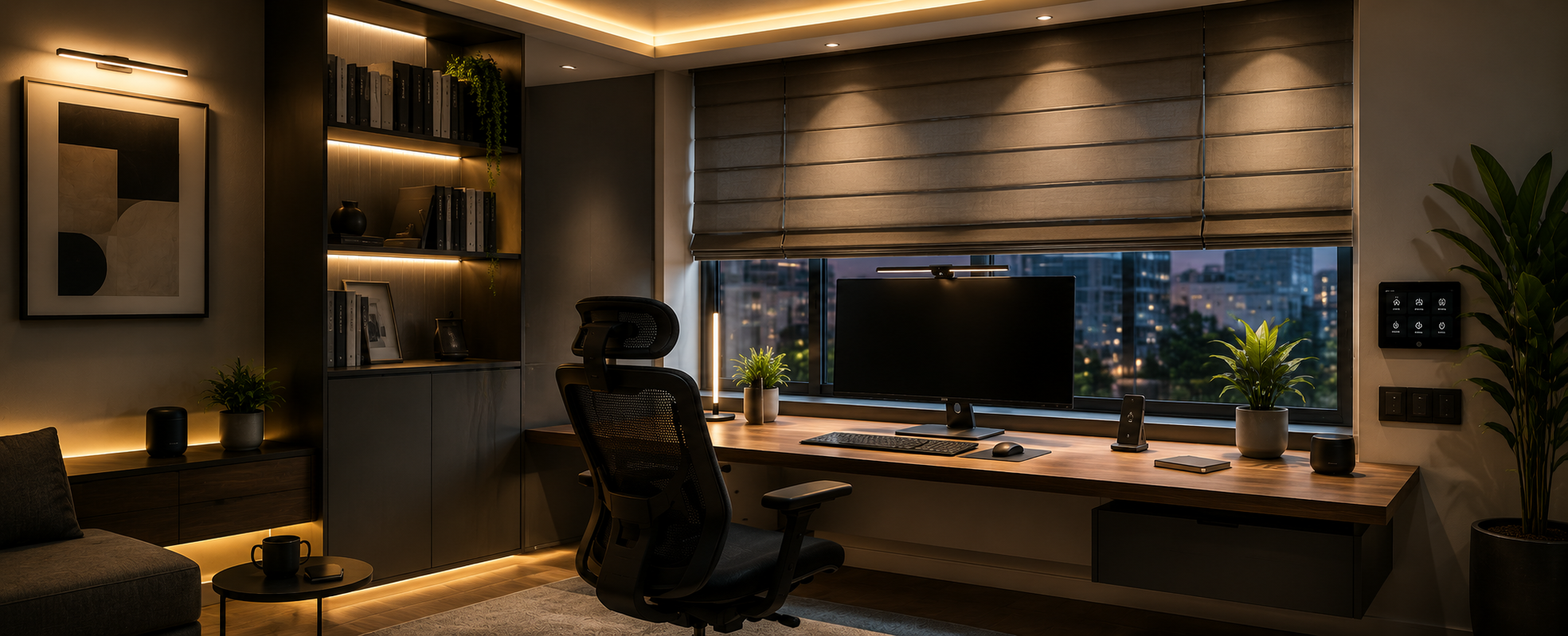
Home office automation in India integrates smart task lighting, motorised privacy blinds, and climate scheduling into a work-from-home space controlled through pre-programmed scenes — Focus, Video Call, and End Day — that replace all manual adjustments with a single button. Task lighting at 4,000–5,000K reduces eye strain during screen work, a lux sensor automatically adjusts the blinds to block glare without losing natural light, and a pre-scheduled AC ensures the room is at the right temperature before the working day begins. A Video Call scene sets professional background lighting and reduces fan noise, while an End Day scene cuts all office equipment power and transitions the room back to a relaxed home environment. Entry-level setup in India starts at ₹30,000, and a complete KNX-integrated home office costs up to ₹2,20,000.
What is Home Office Automation & Why WFH Needs It?
Home office automation in India refers to the intelligent
control of task lighting, motorised privacy blinds, HVAC scheduling, and AV
equipment in a dedicated work-from-home setup — using KNX actuators, DALI
dimmers, or WIFI smart switches to activate pre-programmed scenes like Focus,
Video Call, and End of Day that replace dozens of daily manual adjustments with
a single button or automatic trigger.
India now has over 15 million professionals working from
home on a regular or hybrid basis — a number that grew tenfold after 2020 and
has not returned to pre-pandemic levels. Yet the vast majority of Indian home
offices are still operated entirely with manual switches, fixed overhead
lighting, and no climate control strategy. The result is eye strain, poor video
call backgrounds, inconsistent productivity, and energy waste.
Our team at Techvault has designed and installed home office
automation for professionals across Delhi NCR, Noida, Gurgaon, and Faridabad —
from single-room conversions in 2BHK apartments to dedicated study suites in
luxury villas. The consistent feedback is that home office automation delivers
the most immediately noticeable productivity impact of any room automation we
install.
Why the Home Office Has Unique Automation Requirements
The Problem with a Typical Indian Home Office Setup - Most Indian professionals working from home use a bedroom corner, a dining table, or a spare room with whatever fixed lighting and furniture were already there. The problems this creates are specific and consistent:
The overhead light — typically a single tube light or a
batten fitting - throws light from above and behind the screen, creating glare
on the monitor. The room gets warm by mid-morning because the AC was not turned
on early enough. Privacy blinds are either fully open (neighbours can see the
screen) or fully closed (no natural light). Video calls look dark and
unprofessional. And at the end of the day, unwinding is difficult because the
same space is used for work and leisure.
Home office automation addresses every one of these problems systematically.
Manual vs automated home office — the daily difference:
|
Situation |
Manual Home Office |
Automated Home Office |
|
Starting work |
Switch on light, adjust AC, pull blind |
Press "Focus" — everything configures
automatically |
|
Video call |
Adjust light, close door, hope for the best |
Press "Video Call" scene — lighting, blind, AC
set |
|
Afternoon glare |
Get up, manually adjust blind |
Sun tracking sensor adjusts blind automatically |
|
Focus session |
Distracted by notifications |
DND mode + focused lighting activates |
|
End of work |
Remember to switch everything off |
"End Day" scene turns off all devices |
|
Weekend |
Same setup, no separation |
Office mode simply not activated |
The Foundation of Productivity
Why Standard Room Lighting Fails for Knowledge Work
The most critical element of home office automation is
lighting - and it is also the most misunderstood. Most Indian professionals
either work in dim, warm bedroom lighting or under harsh, cool-white tube
lights. Neither is correct for sustained knowledge work.
The science behind task lighting colour temperature:
Human alertness is directly affected by the colour
temperature of light. Cool white light (4,000–5,000K) stimulates melanopsin receptors in the eye, suppresses melatonin production, and increases alertness and focus.
Warm white light (2,700–3,000K) has the opposite effect - it relaxes and
signals rest.
What this means for a home office in India:
During active work hours - particularly morning sessions and
important meetings - the home office should be lit at 4,000–5,000K with
sufficient brightness over the work surface. In the afternoon, as natural light
changes, the system should maintain consistent lux levels. In the evening, if
work continues, the system should automatically shift toward warmer tones to
reduce circadian disruption.
Home office lighting zones to plan:
|
Zone |
Type |
Colour Temp |
Brightness |
Purpose |
|
Task/desk |
DALI downlight or LED panel |
4,000–5,000K |
300–500 lux at desk |
Reading, writing, screen work |
|
Ambient fill |
Recessed downlights |
3,000–3,500K |
150–250 lux |
General movement, background |
|
Accent/cove |
LED profile strip |
Tunable white |
50–100 lux |
Video call background, ambience |
|
Video call background |
Directed LED panel |
3,500–4,000K |
200 lux on the face |
Professional video presence |
In our project in a home office in Greater Noida West, we
installed a DALI-controlled desk panel directly above the work surface,
combined with two recessed ambient downlights on a separate KNX dimmer
circuit. The homeowner - a senior consultant who attends 4–6 video calls daily - reported that clients immediately commented on the improvement in his video
call appearance within the first week.
Motorised Privacy Blinds for Home Offices
Why Privacy and Glare Control Matter More in a Home Office Than Any Other Room - An Indian home office faces two specific blind-related challenges that other rooms do not. First, screen glare — direct sunlight or bright daylight hitting the monitor makes screen reading painful and causes headaches within an hour. Second, visual privacy - in urban apartments and housing societies, a home office at ground to mid-floor level is often directly visible to neighbours, passers-by, or even other office buildings.
Manual blinds address neither issue effectively because they
require constant adjustment as the sun moves throughout the day, and most
professionals simply leave them in one fixed position — either always open or
always closed — rather than adjusting them every 30 minutes.
Automated blind integration for home offices:
A sun position sensor or a KNX sensor mounted
outside the window continuously monitors sunlight intensity and angle. When
direct sun is detected hitting the window, the motorised blind automatically
descends to a pre-set position - enough to block glare while retaining diffused
natural light. When the sun moves past, the blind reopen. The homeowner never
touches it.
For north-facing home offices in Delhi and Noida — which
receive consistent indirect light — the blind can be set to a fixed 40% closed
position during work hours, providing privacy without blocking diffused
daylight.
Blind brands for Indian home offices:
|
Brand |
Motor Type |
KNX Integration |
Price Range (per window) |
|
Somfy |
io-home control |
Via the KNX gateway |
₹18,000–35,000 |
|
Nice |
Bi-directional A-Bus |
Direct KNX module |
₹15,000–28,000 |
|
Legrand |
Wireless RF |
Via smart hub |
₹8,000–15,000 |
|
Local motorised |
Standard AC motor |
KNX actuator control |
₹6,000–12,000 |
4 Essential Home Office Automation Scenes
A scene is a pre-programmed state that multiple devices
enter simultaneously when a single button is pressed or a trigger is activated.
For a home office, four scenes cover 95% of daily working situations.
Scene 1 — Focus: The primary working scene. Task
lighting at 100% and 4,500K. Ambient lights at 40% warm white. Privacy blind at
50% closed. AC set to 22°C. Phone on DND. This scene can activate automatically
when the office door is closed, via a KNX door contact, or manually via
a keypad or app.
Scene 2 — Video Call: Specifically optimised for
camera presence. Background accent light at 60% warm white. Task light reduced
to 70% to avoid over-exposure on camera. Privacy blind at 80% closed —
professional background, no external distraction visible. AC fan speed reduced
to silent. This scene prevents the "dark background, harsh top light"
look that makes so many Indian WFH video calls look unprofessional.
Scene 3 — Break: Mid-day break scene. All work lights
off. Ambient light at 20% warm white. Blind opens to 80% — natural light,
relaxed atmosphere. AC temperature rises to 24°C. A 20-minute break timer can
trigger automatic return to the Focus scene.
Scene 4 — End Day Activated at the end of the workday. All
lights off. Blinds close fully for evening privacy. AC switches off or reverts
to the home-wide climate schedule. All office equipment sockets cut power —
monitors, printers, desk lamps, chargers. This scene creates a clear
psychological separation between work and home life in the same physical space
— one of the most consistent pieces of feedback we receive from homeowners in
our Gurgaon and Delhi projects
Climate Control for the Indian Home Office
The single most common productivity complaint we hear from
Indian WFH professionals is this: "By the time the room is at a
comfortable temperature, it is already 10 AM, and I have wasted the most
productive hours of the morning."
An Indian home office in summer can reach 28–30°C by 9 AM, even with closed windows and heavy curtains. Starting the AC when you sit down
at your desk means 20–30 minutes of uncomfortable working conditions before the
temperature is acceptable.
Home office climate automation solves this in two ways:
Scheduled pre-cooling: The AC activates 30 minutes
before the standard start of the working day — say, 8:30 AM for a 9 AM start.
The room is at the ideal temperature when the homeowner sits down. This is the
highest-value single automation in any Indian home office and costs nothing
beyond the initial programming.
Occupancy-based control: A PIR occupancy sensor
detects when the homeowner leaves the office for lunch, a meeting elsewhere in
the home, or any other reason. The AC temperature rises to an economy setpoint.
When they return, the system detects their presence and returns to the work
temperature within 3–5 minutes.
In our project for a freelance architect in Delhi, pre-cooling automation alone — scheduled AC start 30 minutes
before the working day — was described as "the single most useful thing in
the whole project."
Home Office Automation Cost India - What to Budget at Each Level
Three Investment Levels for Indian Home Offices
|
Level |
Scope |
What's Included |
Cost Range |
|
Entry — Smart Lighting |
1–2 light circuits + scene switch |
DALI task light, ambient switch, 2 scenes |
₹30,000–50,000 |
|
Mid — Lighting + Blinds |
Smart lighting + 1 motorised blind + 3 scenes |
Full lighting system, privacy blind, Focus/Video/End Day |
₹65,000–1,00,000 |
|
Full — Complete Automation |
All systems are integrated via KNX |
Lighting, blinds, AC, equipment sockets, occupancy, 5
scenes |
₹1,20,000–2,20,000 |
These costs cover supply, installation, programming, and commissioning for a standard 100–180 sq ft home office. Integration with an existing whole-home KNX system reduces cost significantly, as the infrastructure is already in place.
People Also Asked
What is home office automation in India?
Home office
automation in India refers to intelligent control of task lighting, motorised
privacy blinds, HVAC scheduling, and AV equipment in a work-from-home setup - using KNX, DALI, or WiFi smart switches to activate pre-programmed scenes like
Focus, Video Call, and End of Day that configure the entire room automatically.
What are the top home automation brands available in India for home offices?
Leading brands for home office automation in India
include ABB i-bus, Schneider Electric, Basalte, and Gira for KNX switching and
lighting control; Somfy and Nice for motorised blinds; Ajax Systems for
security; and Legrand for affordable entry-level WiFi integration. All are
available through certified integrators, including TechVault across Delhi NCR,
Noida, Gurgaon, and Jaipur.
What is the cheapest home automation system for a home office in India?
The most affordable home office automation starts at
₹25,000–40,000 - covering smart lighting with 2–3 scene programmes and a single
motorised blind. WiFi-based smart switches from brands like Legrand or Havells
offer entry-level scene control without full KNX infrastructure for homeowners
on a tighter budget.
How does home office automation improve productivity in India?
Home office automation improves productivity by eliminating manual
distractions and optimising the working environment automatically. A Focus
scene activates 4,000–5,000K task lighting that increases alertness, closes
privacy blinds to reduce distraction, and sets the AC to an ideal temperature - without the homeowner adjusting anything. Proper task lighting at 4,000K has
been shown to reduce eye fatigue during extended screen work significantly.
Can home office automation work in a rented flat in India?
Yes. WiFi-based smart switches replace existing switch boxes without
new wiring and can be removed when leaving. Wireless motorised blinds require
no permanent installation. A basic rented flat home office automation — smart
lighting and one wireless blind - costs ₹20,000–35,000 and moves with you when
you relocate.