

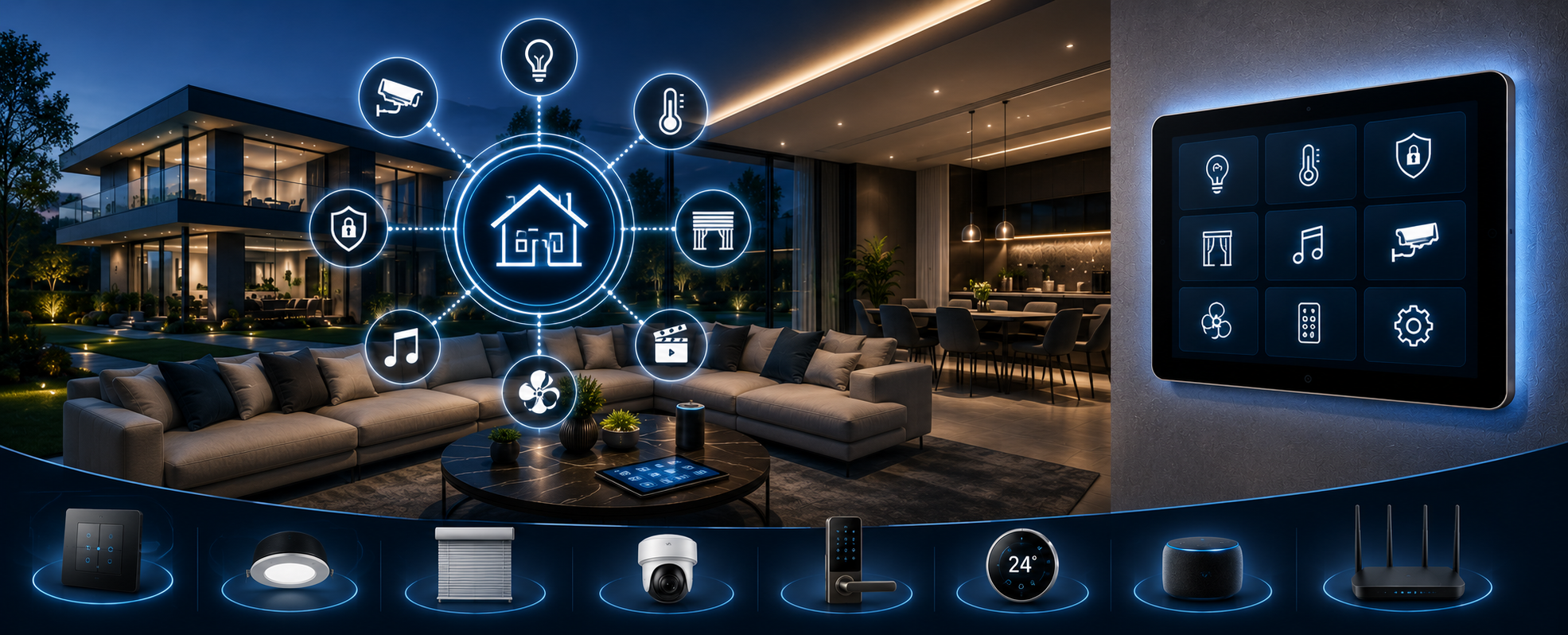
Upgrading an existing home automation system in India involves four steps: auditing what you have, identifying what is worth keeping, planning the upgrade path (from WiFi to KNX, adding new systems, or expanding the existing KNX), and commissioning the new configuration with updated ETS6 programming. Most Indian home upgrades cost Rs. 3–25 lakh, depending on scope and existing infrastructure.
Most homeowners who invested in smart home technology 3–5 years ago are now facing the same frustration. The app that controlled everything no longer works properly. The smart switches from one brand refuse to talk to the new AC. The security cameras need a separate login. The voice assistant responds to lights but has no idea the curtains exist.
This is not a technology failure. It is an architecture failure — the result of adding devices one by one without a unified platform underneath them.
Upgrading a home automation system in India is not always about replacing everything. In our experience across 200+ projects in Delhi-NCR, Noida, Gurgaon, and Jaipur, the right upgrade path depends entirely on what the existing system is built on — because some foundations are worth building on and others are not.
This guide walks through exactly how to assess your existing system, what to keep, what to replace, and how to plan an upgrade that will not need doing again in three years.
Step 1 — Audit Your Existing System Honestly
Before spending anything, understand what you actually have.
Most Indian homeowners who describe their home as "automated" have
one of three situations:
Situation A — Consumer WiFi ecosystem: Smart bulbs,
WiFi switches, a voice assistant, and maybe a smart lock — all from different
brands, controlled through 3–4 different apps. Works reasonably well when WiFi
is stable. Breaks when any app updates, when the router changes, or when cloud
servers go down.
Situation B — Partial professional system: A KNX or
DALI lighting system installed by a professional, but security, Audio-Video, and climate
control were never integrated. Each system has its own interface. The KNX
lighting works well; everything else is manual or separate.
Situation C — Outdated proprietary system: A branded
home automation system, Crestron, Abb, or an Indian brand, installed
6–10 years ago. Hardware still works, but software is outdated, the original
integrator is no longer available, and the system cannot be expanded without
the proprietary programmer.
How to audit your system:
What to Check |
What to Record |
Why It Matters |
|
Switch brands and model numbers |
Photograph every switch plate |
Determines KNX compatibility |
|
Cabling type |
Open one switch box — is there a 2-wire bus cable or only
mains? |
KNX cable = can upgrade programming. Mains only = new
cabling needed |
|
Existing controller or hub |
Brand, model, age |
Determines upgrade vs replace decision |
|
ETS6 project file |
Ask original integrator — do they have the .knxproj file? |
If yes, any certified integrator can take over and expand |
|
App ecosystem |
List every app currently used |
Determines integration complexity |
|
Pain points |
What doesn't work? What's missing? |
Defines upgrade priorities |
Step 2 — Identify What Is Worth Keeping
Not everything needs replacing. The upgrade decision depends
on the protocol beneath each system.
Keep — KNX Infrastructure
If your lighting, climate, or motorised curtain control runs on KNX —
with a 2-wire TP bus cable in the walls — this infrastructure is worth keeping
regardless of age. KNX is backwards-compatible across 35 years of devices. A KNX
dimmer actuator from 2010 communicates perfectly with a Basalte keypad from
2024.
What you may need to upgrade: the keypads (for design
refresh), the ETS6 programming (for new scenes), or the KNX IP gateway (for
remote app access). The bus cable and field devices rarely need
replacing.
One critical question: Does your original integrator
have the ETS6 project file? If yes, any KNX-certified integrator can open it,
understand the entire system, and expand it. If no, the programming must be
reconstructed, which adds cost but is still faster than starting from scratch.
Replace — Proprietary and Cloud-Dependent Systems
If your system runs on a proprietary protocol — a
brand-specific controller that only works with that brand's devices — replacing
it is usually more cost-effective than trying to expand it. Proprietary systems
create permanent dependency on one vendor, and most Indian proprietary systems
from 5+ years ago are no longer supported.
Consumer WiFi systems (smart bulbs, WiFi switches) can be
kept for low-priority areas where professional integration is not required —
children's rooms, utility spaces, outdoor lights. They should not be the
control layer for primary living spaces, security, or AV systems.
Upgrade — DALI Lighting Drivers
If your lighting was installed with DALI drivers (not
standard LED drivers), these are worth retaining. DALI 2 controllers are
backwards compatible with original DALI drivers. You can upgrade the control
layer — adding occupancy sensors, daylight harvesting, and new scene programming —
without replacing the light fittings or drivers themselves.
Step 3 — Define Your Upgrade Goals
The most common upgrade requests we receive from Indian
homeowners:
"I want one app that controls everything."
This requires a unified integration layer — typically a KNX IP gateway
connected to lighting, climate, security, and AV — with a single app (KNX
native, or third-party like Google Home with a KNX bridge) presenting all systems
in one interface.
"I want to add security / CCTV / video door
phone." Ajax wireless security integrates with KNX through certified
gateways. CCTV and VDP can be added to any home regardless of existing
automation infrastructure — the camera system runs independently and can be
presented in the same app through integration.
"My lighting scenes don't work properly."
This is an ETS6 programming issue in most cases — not a hardware issue. Scenes
that were programmed quickly at initial installation often have incorrect
device parameters, conflicting group addresses, or missing sensor links. A
programming review and recommission resolve this without any new hardware.
"I want to add home cinema / multi-room audio."
AV integration can be added to any existing KNX home through AV-KNX gateways or
native KNX AV controllers. The cinema scene activates the projector, screen, Atmos
audio, lighting dim, and curtain close — all from one button that already
exists in your KNX system.
"I want voice control." KNX integrates with
Alexa, Google Home, and Apple HomeKit through certified gateways. Voice control
is typically the easiest upgrade to add to an existing KNX system — usually 1–2
days of programming work.
"I want remote app access": If your KNX
system was installed without a remote access IP gateway, adding one is
straightforward — the KNX IP Interface or IP Router connects to your network
and enables secure remote access through the KNX app or third-party platforms.
Step 4 — Choose Your Upgrade Path
Based on your audit and goals, one of three upgrade paths
applies:
Path A — KNX Expansion (Existing KNX Base)
Best for: Homes with existing KNX lighting and
climate control, wanting to add security, AV, or remote access.
What is involved:
- Retrieve
or reconstruct the ETS6 project file
- Add
new KNX devices (sensors, keypads, actuators) to the existing bus
- Programme
new scenes and integrations in ETS6
- Install the KNX-Ajax gateway for security integration
- Install the KNX IP gateway for remote app access
- Commission
and test the complete system
Timeline: 3–7 days, depending on the scope. Cost range: Rs. 3–15 lakh for expansion scope
This is the best-value upgrade path. You are building
on professionally installed infrastructure that is already functioning
correctly.
Path B — Protocol Migration (WiFi to KNX)
Best for: Homes with consumer WiFi systems that have
reached their limits — connectivity issues, app fragmentation, and no professional
integration.
What is involved:
- Assess
existing cabling — is KNX TP cable present? (Check with original
electrician)
- If the KNX cable is present: replace the WiFi devices with the KNX devices, programme
ETS6
- If
no KNX cable: install KNX RF (radio frequency) devices — no new cable
required
- Commissioned a unified KNX system with scenes, schedules, and integrations
Timeline: 5–10 days Cost range: Rs. 8–25 lakh, depending on home size and number of circuits
Important note on KNX RF: KNX Radio Frequency
operates on 868 MHz — independent of WiFi and internet. It provides
professional KNX performance without requiring new bus cable — the ideal
solution for retrofit in homes where cable pulling is not practical.
Path C — Full Recommission (Outdated Proprietary System)
Best for: Homes with proprietary systems that are no
longer supported, cannot be expanded, or have an integrator who is unavailable.
What is involved:
- Remove
existing proprietary controllers and interfaces
- Assess
whether any field devices (actuators, sensors) can be retained
- Install
KNX controllers, program ETS6 from scratch
- Integrate
all systems on a unified KNX platform
Timeline: 7–14 days Cost range: Rs. 12–40 lakh, depending on home size and scope
This path has the highest upfront cost but the highest
long-term value. You end the project with a fully documented KNX system, an ETS6 project file in your possession, and no dependency on any single
integrator.
Step 5 — The Upgrade Process in Practice
Day 1–2 — Site Survey and Documentation A certified
KNX engineer visits the site, photographs every switch position, identifies
cabling types, checks existing devices against the KNX product database, and
reviews any available documentation from the original installation.
Day 3–5 — ETS6 Programming (Off-Site) New scenes,
group addresses, device parameters, and integration logic are programmed in
ETS6 before any site work begins. This prevents errors during installation and
reduces the time engineers spend on-site with circuits live.
Day 6–10 — Installation and Device Addition: New
devices are installed, existing devices are updated where needed, gateways are
configured, and the programming is downloaded to all devices on the KNX bus.
Day 11–12 — Commissioning and Testing: Every scene is
tested in every room. Sensor triggers are verified. Remote access is confirmed.
App integration is tested from outside the home network. Homeowner walkthrough
and training are completed.
Day 13 — Handover ETS6 project file (.knxproj),
as-built wiring diagram, device serial numbers, gateway login credentials, and
app setup guide are all handed over to the homeowner in a documented package.
What a Home Automation Upgrade Costs in India
Upgrade Type |
Scope |
Timeline |
Investment Range |
|
KNX programming update |
New scenes, sensor links, remote access |
1–2 days |
Rs. 25,000–60,000 |
|
KNX expansion — security |
Add Ajax alarm + CCTV + VDP to the existing KNX |
3–5 days |
Rs. 3–8 lakh |
|
KNX expansion — AV |
Add home cinema + multi-room audio |
5–8 days |
Rs. 6–20 lakh |
|
KNX expansion — full |
Security + AV + energy + new keypads |
7–12 days |
Rs. 12–30 lakh |
|
WiFi to KNX RF migration |
Replace consumer WiFi with a KNX RF system |
5–10 days |
Rs. 8–20 lakh |
|
Full recommission — proprietary to KNX |
Remove proprietary, install full KNX |
10–15 days |
Rs. 15–40 lakh |
All costs include supply, installation, ETS6 programming,
commissioning, and handover with the project file.
Common Mistakes to Avoid When Upgrading
Mistake 1 — Adding more WIFI devices to a broken Wi-Fi
system: If your existing Wi-Fi automation is unreliable, adding more Wi-Fi
devices makes it worse, not better. The problem is the protocol, not the
quantity of devices.
Mistake 2 — Upgrading without the ETS6 project file:
If you are expanding a KNX system and your integrator claims the project file
does not exist or cannot be shared, this is a red flag. The file is your
property. Upgrading without it means programming from scratch — unnecessary
cost and time.
Mistake 3 — Choosing aesthetics over protocol: A
beautiful keypad on a Wi-Fi system is still a Wi-Fi system. Choose the protocol
first, then the aesthetic. Basalte, Core, and ABB all make beautiful keypads
for KNX — aesthetics and professional performance are not mutually exclusive.
Mistake 4 — Upgrading piecemeal without a plan: Adding
security this year, AV next year, and climate the year after — without a
unified architecture plan — creates the same fragmentation you started with.
Define the target state first, then sequence the upgrades toward it.
Mistake 5 — Not getting the ETS6 file at the new
installation: Whatever upgrade you do, insist on the ETS6 project file at
handover. This is the one non-negotiable. Without it, you are dependent on your
integrator for every future change, no matter how small.
FAQs
Can I upgrade my existing smart home without replacing all devices?
Yes — if your existing system is based on KNX, most field
devices (actuators, sensors) can be retained and the programming upgraded. Even
if keypads are replaced for aesthetic reasons, the underlying wiring and
actuators rarely need changing.
How do I know if my home has KNX cable?
Open any
switch plate and look for a thin 2-wire cable (typically green or grey)
alongside the mains wiring. This is the KNX TP bus cable. If you see only mains
wiring, your system is likely WiFi-based or proprietary.
What is KNX RF, and do I need new cabling for it?
KNX
RF (Radio Frequency) operates on 868 MHz and requires no dedicated bus cable.
It is the ideal upgrade solution for homes where pulling new cable is not
practical. KNX RF devices integrate with KNX TP systems through certified
gateways.
How long does a home automation upgrade take?
A KNX
programming update takes 1–2 days. Adding security to an existing KNX system
takes 3–5 days. A full upgrade from proprietary to KNX in a large villa takes
10–15 days. The timeline depends on the scope and whether existing ETS6 documentation
is available.
Should I upgrade to KNX or just use Google Home / Alexa?
Google Home and Alexa are control interfaces — not automation platforms. They
can be used alongside KNX to provide voice control, but they cannot replace KNX
as the underlying system. KNX handles the logic, scenes, and local operation;
Google Home or Alexa provides convenient voice commands on top.
Does TechVault upgrade existing home automation systems in India?
Yes. Techvault handles KNX system expansion, programming updates,
protocol migrations, and full recommissions for homes across Delhi NCR, Noida,
Gurgaon, Jaipur, and 26+ cities. We retrieve or reconstruct ETS6 project files,
assess existing infrastructure, and provide a detailed upgrade proposal before
any work begins.