

Summer holidays. Diwali at your parents' place. A fortnight in the hills. Somewhere in every year, an Indian home sits empty — sometimes for four days, sometimes for a month.
That stretch between locking up and walking back in is exactly when a house is most exposed. It's also exactly when a properly set-up security system stops being a nice-to-have and starts earning its cost.
Before you pack this year, it's worth taking stock of what's actually standing between your home and an empty few weeks.
Stop Giving Out Spare Keys
You know the routine. One key with the guard. One with the neighbour aunty. One with the cook, because she comes at 8. And somewhere, a key with the last house help who left two years ago.
Nobody knows how many copies exist. That's the problem.
A smart lock ends the whole arrangement. Lock the front door from the airport. Give the cook a code that works from 8 to 10 and stops working the day you're back. Give the plant-waterer a different one. When the trip ends, the codes end.
No keys floating around. No awkward conversation about getting one back.
We've covered the options in detail in our digital lock buying guide.
Know Who's at the Gate — From Anywhere
Deliveries don't pause because you're away. Neither does the courier who leaves a parcel outside, the society electrician who shows up unannounced, or the person who rings the bell to see if anyone answers.
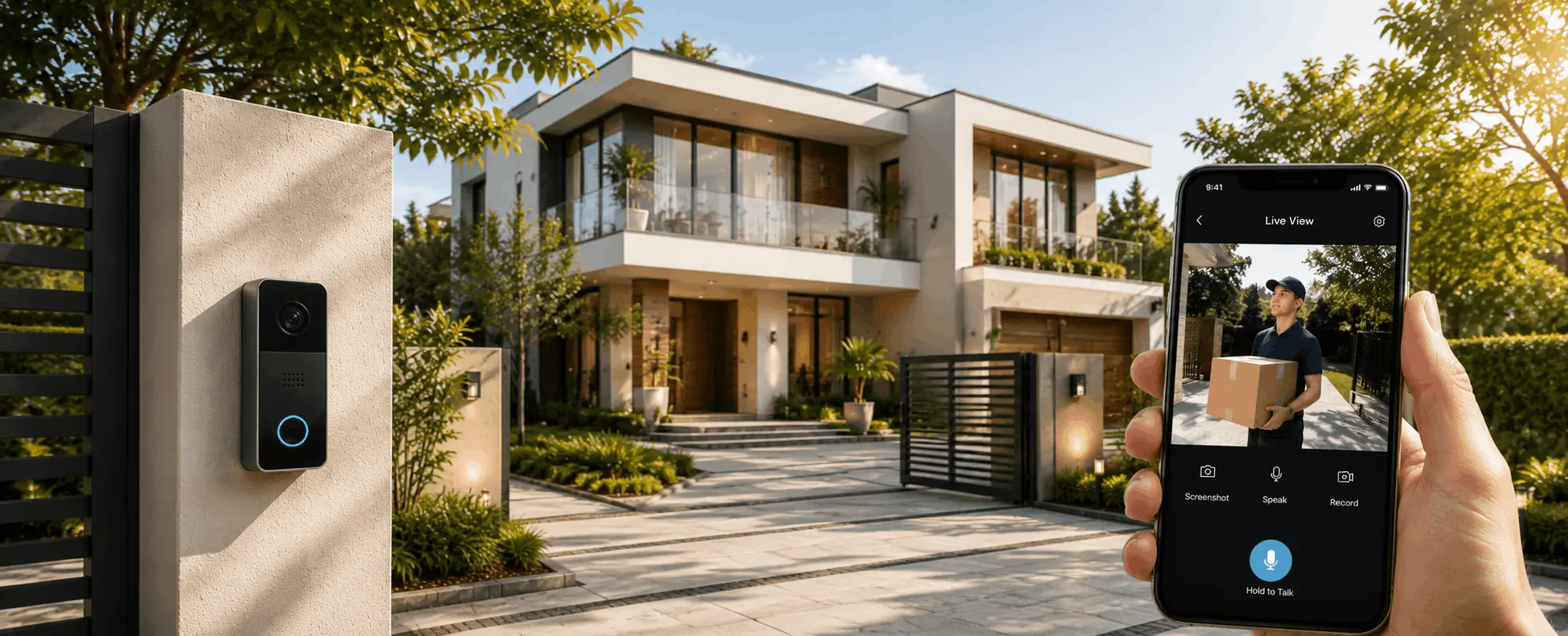
A video door phone tells you all of it. Someone presses the bell, your phone rings — whether you're in the next room or in Bangkok. You see who it is. You talk to them. You decide.
The last one matters more than people expect. A bell that goes unanswered for two weeks tells a stranger the house is empty. A voice that answers tells them it isn't.
More on choosing one in our video door phone buyer's guide.
Cover the Whole Property, Not Just the Front Door
One camera at the entrance tells you a fraction of the story.
The gaps are always the same. The back gate. The side passage nobody uses. The terrace. The parking. In a villa, the boundary wall on the side nobody overlooks.
Weather-rated cameras handle these — through peak summer, through monsoon, through the dust. Night vision matters as much as resolution. A sharp daytime image doesn't help much at two in the morning, which is when you'd actually want it.
Multi-camera streaming from one app means checking the back gate takes the same three seconds as checking the front.
Get Told Before It's a Problem
The camera isn't the useful part. The alert is.
Nobody scrolls through fourteen days of footage. What you want is your phone telling you the specific thing worth knowing — a gate opening, movement in the driveway, someone at the back of the house at an hour when nobody should be.
Motion sensors do this without the false alarms. A cat crossing the terrace shouldn't wake you up in another country. A person climbing the boundary wall should.
Set up properly, checking on your house from a hotel room takes about as long as checking the weather.
Make the House Look Occupied
This one costs nothing extra if you already have automated lighting, and it's the oldest trick that still works.
An empty house looks empty. Dark every evening. Curtains in the same position for two weeks. Nothing changing.
With lighting and curtain automation, that changes. Lights come on in the evening and go off at a believable hour — not the same minute every day. Curtains open in the morning and close at night. From the road, the house is lived in.
It won't stop someone determined. It comfortably discourages someone deciding which house on the street to bother with.
Set Up Access for Whoever's Coming In
Most Indian homes aren't fully empty even when the family travels. The cook comes. The maid comes. Somebody waters the plants. The driver picks something up.
This is where "just switch everything off" falls apart.
What you actually want is controlled access. Codes that work in a time window. A record of who came in and when. A doorbell that reaches your phone regardless of where you are. Cameras in common areas, not in private ones.
That's not distrust. It's the same reason offices log entry — everyone's clearer when there's a record.
What About Power Cuts?
A fair question, and it's why we build on KNX rather than Wi-Fi-dependent systems.
A KNX system runs on its own wired bus. Lighting scenes, schedules and locks keep working locally whether or not the internet is up. Remote viewing and alerts need connectivity — no way around that — but the house doesn't stop functioning because a router rebooted while you were away.
For anything Wi-Fi-based, a router on inverter backup is worth sorting before you leave. It's a five-minute job that keeps everything else useful.
A Quick Checklist Before You Lock Up
Do This |
Why |
|---|---|
| Set temporary access codes, delete old ones | No idea who still has a key |
| Test the doorbell reaches your phone | Answering matters more than recording |
| Check camera angles cover back gate, terrace, parking | The gaps are never the front door |
| Turn on motion alerts, tune the sensitivity | So the alerts stay worth reading |
| Set lighting and curtain schedules with some variation | An empty house looks empty |
| Put the router on inverter backup | Keeps remote access alive through cuts |
| Give one trusted person emergency access | Somebody local should be able to get in |
FAQs
What's the most important thing to sort before travelling?
Access. Knowing exactly who can get in, and being able to change that from your phone. Cameras tell you what happened. Controlled access decides what happens in the first place.
Do cameras work during a power cut?
Cameras need power, and the recorder needs power, so both should be on inverter or UPS backup. A KNX-based system keeps lighting and locks working locally regardless, but any live viewing needs the network up.
Is it safe to give domestic staff a smart lock code while away?
That's exactly what temporary codes are for. Set a code that works only in the hours they're expected, and it stops working on the date you choose. Every entry is logged, so there's a clear record.
How many cameras does a typical home need?
Fewer than most people assume, if they're placed well. A 3BHK apartment usually needs the entry and one common area. An independent house needs entry, back access, terrace and parking — typically four to six. What matters is coverage of the actual gaps, not the count.
Can this be added to a home that's already built?
Yes, in most cases. Digital locks and video door phones retrofit easily. Cameras need cabling but can often be routed through existing conduit or false ceiling. Full lighting and curtain automation is harder to retrofit and much cheaper during construction.
Will I get alerts for every small movement?
Not with properly configured sensors. Sensitivity and detection zones are set during commissioning so passing traffic, pets, and moving plants don't trigger alerts. If a system is sending constant false alarms, that's a configuration problem, not a hardware limit.
Before the Suitcases Come Out
None of this needs to be complicated. A walkthrough is usually enough to spot the gaps — the back gate nobody thought about, the doorbell that doesn't reach a phone, the four spare keys in circulation.
If you're in Noida, Delhi NCR, Gurgaon or Jaipur, talk to our team, and we'll match the right locks, cameras and alerts to your property, and have it running before you're loading the car.
You can also read our complete home security guide, or explore our security and surveillance and digital locks services.