

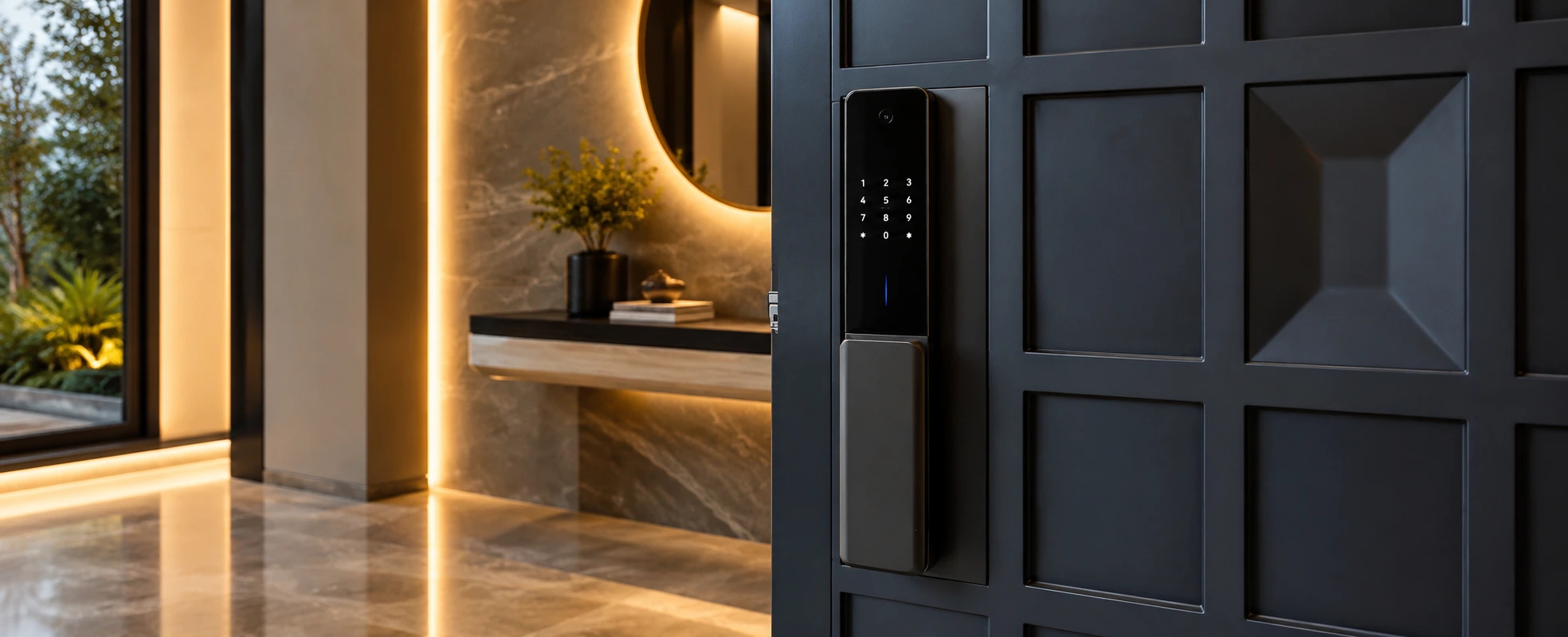
Most Indian homes need more than one type of digital lock. The main door needs a mortise lock with a mechanical override and auto-deadbolt. Bedrooms and a study are better served by a digital lever or knob lock that releases freely from inside. A storeroom or strong room needs PIN or card only, with no app. A glass cabin door needs a purpose-made patch-fitting lock, because toughened glass cannot be drilled after it is tempered. Matching the lock to the door — its material, thickness, and construction — matters more than the brand on the box.
One Lock Choice Does Not Fit a Whole House
Most homeowners we meet have already decided on a digital lock before the first conversation. They have seen one on a friend's main door, liked it, and want the same one.
Then we walk the house.
The main door is a 50 mm teak flush door — fine. The second entrance from the service corridor is a metal door with a narrow stile. The study has a hollow-core door barely 30 mm thick. The storeroom has no power point within reach. There is a toughened glass door into the home office. And the family wants the gate to open from a phone.
Five doors. Four different lock types. One of them is not a digital lock at all.
This guide is about that mapping — which door gets what, how to check compatibility before you order, and what actually goes wrong six months after installation. If you are specifically shopping for the front door and want types, brands, and price comparisons, start with our dedicated guide on digital locks for the main door and come back here for the rest of the house.
Which Doors in an Indian Home Actually Need a Digital Lock?
Not every door should get one. A digital lock earns its place where there is a real access problem to solve — people arriving when nobody is home, keys being copied, a room that needs restricted entry, or a door that is simply used too many times a day for keys to be practical.
Here is how we usually assess a home, door by door.
| Door | Does it need a digital lock? | What usually fits |
|---|---|---|
| Main entrance | Yes — highest value | Mortise digital lock, fingerprint + PIN, mechanical key override, auto-deadbolt |
| Second entrance/service door | Often yes | PIN or card-only lock; no app needed |
| Master bedroom | Sometimes | Digital lever lock with free inside release |
| Children's bedrooms | Rarely | Standard lock; see the egress section below |
| Study/home office | Sometimes | Digital lever or knob lock, PIN only |
| Store room / strong room | Yes, if valuables | PIN or card only, offline, no app, no cloud |
| Glass cabin door (home office) | Yes, if used daily | Purpose-made glass-door patch lock |
| Terrace/utility door | Usually not | Good mechanical lock; add a door sensor instead |
| Main gate | Not a digital lock | Gate motor + access control + intercom |
Two entries in that table are worth expanding.
The storeroom. This is the one door where we actively recommend less technology. A storeroom or strong room should open on a PIN or a card held by one or two people, with no app, no cloud account, and no remote unlock. The fewer paths into that door, the better. Convenience is not the goal here.
The gate. A digital lock is the wrong product for a gate. Gates need a motor, a reader or intercom at the pillar, and a release that works in a power cut. That is a different installation entirely — we cover it in the gate automation guide, and the access side of it in our wired vs wireless access security comparison.
How Do You Match a Digital Lock to the Door It Goes On?
This is where most purchases go wrong, and it rarely has anything to do with the brand.
A digital lock is a piece of door hardware first and an electronic device second. If the hardware does not suit the door, no amount of app features will save the installation. There are four things to check, in this order.
1. Door thickness
Every digital lock is specified for a range of door thickness. Fit it to a door outside that range and the two halves either will not meet or will not sit flush. Indian internal doors are frequently thinner than homeowners assume — a hollow-core flush door can be well under 35 mm, while a solid main door is often 45–50 mm or more.
Measure the door edge with a scale before you order, and check the measurement against the specific model's datasheet. Thickness ranges differ between models even within the same brand, so treat the datasheet as the authority rather than a general rule.
2. Construction — solid, hollow-core, or framed
A mortise digital lock needs a pocket cut into the door stile to receive the lock body. That requires enough solid timber in the stile to take the cut without weakening the door. On a hollow-core flush door there is often only a thin frame behind the laminate — cut into it, and you have a wobbly lock within months, because there is nothing for the fixings to hold.
On those doors you have two honest options: a rim or surface-mounted lock that fixes to the face of the door, or a digital lever lock with a smaller mechanism. Or replace the door, which on a main entrance is frequently the right answer.
3. Existing cut-out and handle position
If you are replacing an existing lock, the new one has to land on the holes already cut. The dimension that matters is the backset — the distance from the door edge to the centre of the handle or cylinder hole. Get this wrong, and you are patching a visible hole in a finished door.
If the home is still under construction, this is far easier: choose the lock first and let the carpenter cut to its template. That single sequencing decision removes most retrofit problems.
4. Door material
| Door material | What to watch |
|---|---|
| Solid wood / engineered flush | Easiest case. Confirm thickness and stile width. |
| Hollow-core flush | Often too thin for a mortise. Rim or lever lock, or replace the door. |
| Metal / MS door | Needs drilling and tapping; check whether the model is rated for metal doors. |
| UPVC / aluminium framed | Narrow stile. Needs a narrow-stile lock body, not a standard mortise. |
| Toughened glass | Needs a glass-door lock. Holes must exist already — see below. |
The toughened glass rule nobody mentions
Toughened (tempered) glass cannot be cut or drilled after it has been tempered. Attempt it, and the panel shatters. Every hole, notch, and cut-out has to be made in the glass before it goes through the toughening process.
In practice, this means that if you want a digital lock on a glass door, the decision has to be made before the glass is fabricated — or you need a clamp-type patch fitting designed to grip the existing glass and the existing cut-outs without any new holes. Homeowners who decide on a glass-door lock after the partition is installed usually end up replacing the glass panel. This is one of the few genuinely irreversible decisions in a fit-out, which is why we raise it at the design stage.
What Actually Goes Wrong After Installation?
Digital locks are reliable. The complaints we attend to are almost always one of six things, and five of them are avoidable at the design stage.
Batteries, and the warning nobody noticed. Most digital locks run on AA alkaline cells and give a low-battery warning well before they stop. Manufacturers typically state several months to about a year of life, depending heavily on how many times a day the door is used — a main door with six people and a store room door used weekly will not behave the same way. The failure mode is not the battery dying; it is nobody acting on the warning beeps for three weeks. Find out at handover where your model's emergency external power contact is and keep a small power bank and cable in the house.
Fingerprints that stop reading. This is the single most common complaint in India, and it is a sensor-and-skin problem, not a brand problem. Fingerprint sensors struggle with very dry skin, wet fingers, and worn ridges. In practice, that means older family members, anyone doing manual or wet work, young children with small fingers, and everybody during a humid monsoon afternoon. Enrol two fingers per person on each hand, keep PIN access live for everyone, and do not specify a fingerprint-only lock for a household with elderly parents.
The door swells, and the bolt stops throwing. Indian monsoons move timber. A door that closed cleanly in April can bind in August, and a digital lock will keep trying to drive its deadbolt into a strike plate that has shifted a few millimetres. You will hear the motor straining. The fix is carpentry — easing the door and realigning the strike — not the lock. Budget for one alignment visit after the first monsoon on new timber doors.
Wi-Fi-only locks in a city with power cuts. A lock that depends on Wi-Fi for its app will lose remote access the moment the router goes down, which in most Indian neighbourhoods means every power cut unless the router is on an inverter. The lock itself keeps working on its keypad and fingerprint — it is the remote features that vanish. If remote access genuinely matters to you, put the router on backup power. We go deeper into this in how home automation behaves during power cuts.
No backup entry plan. Mechanical override keys get stored inside the house. This is extremely common and completely self-defeating. The override key belongs outside the lock's own door — with a trusted neighbour, in a car, or in a key safe. The same applies to the master PIN.
Nobody documented the admin codes. Six months later, the installer has moved on, the master PIN is unknown, a departed domestic staff member's fingerprint is still enrolled, and nobody can delete it. Ask for a written handover at commissioning: master code, how to add and remove users, how to factory reset, and which features were deliberately disabled. We hand this over as a document on every installation, for the same reason we hand over the ETS project file on a KNX job.
Do Digital Locks Work Without Electricity or Internet?
Yes to both, with one caveat.
Digital locks are battery-powered. They do not draw from your mains supply, so a power cut does not affect the lock itself — it opens on fingerprint, PIN, card or key exactly as before. This is the opposite of an electric strike or electromagnetic lock used in commercial access control, which does depend on supply and needs its own backup.
Internet is only needed for the remote features: unlocking from your phone while away, getting an entry notification, or issuing a temporary code to a guest. Everything you do standing at the door is local to the lock. So when the broadband is out, the lock works; the app does not.
The caveat is the small category of locks that route even local Bluetooth unlocking through a cloud check. Ask before you buy whether the lock opens by keypad and fingerprint with no network at all. The honest answer for the great majority of the market is yes.
Can Digital Locks Be Part of a Home Automation System?
This is where we have to be straight with you, because the marketing in this category overpromises.
Most consumer digital locks are not KNX devices and will not appear as one on a KNX bus. They are self-contained battery products with their own app. If a salesperson tells you a residential fingerprint lock will be "fully integrated" into a KNX system, ask exactly how.
There are three real integration routes, and they deliver different things.
Route 1 — door status into the bus. Many locks and most door frames can provide a potential-free (dry) contact that reports whether the door is open, closed, or locked. Wire that contact to a KNX binary input from a confirmed partner such as ABB or Schneider Electric, and the automation system now knows the state of the door. That is enough to drive genuinely useful logic: a "leaving home" scene that refuses to arm while the main door is open, a notification if the door is left ajar, or lights that come on in the entrance lobby when the door opens after dark. This is the most common and most reliable route.
Route 2 — the lock is driven by the system. Instead of a battery lock, the door gets an electric strike or electromagnetic lock released by a KNX actuator, with a reader at the door. This is standard practice on commercial access control and on internal doors in large homes where you want central control, scheduling, and a proper audit trail. It needs power at the door and a fail-safe or fail-secure decision taken with the fire strategy in mind. Our access control guide covers how that choice is made.
Route 3 — app and voice through the lock's own hub. The lock brand's bridge connects it to Alexa or Google, so you can ask for door status or lock it by voice. This works; it is the easiest to add, and it depends entirely on that manufacturer's cloud continuing to exist. Treat it as convenience, not infrastructure.
What you realistically gain from integration is context — the automation system knowing a door opened, and reacting. What you do not gain, with consumer battery locks, is central programming of every lock in the house from one piece of software. If that is your requirement, you are specifying access control, not digital locks, and the budget changes accordingly.
Alongside this, the piece most homeowners actually feel the benefit of is the door station: a video door phone at the entrance, from a confirmed partner such as BasIP, so you can see who is there before you decide to release the door at all. A lock answers how someone gets in. An intercom answers who is asking.
What Do Digital Locks Cost in India?
Cost is driven by the lock body and the authentication methods, not by the app. These are indicative planning ranges for budgeting a whole house, not quotations — confirm current pricing for the specific model and finish.
| Lock type | Typical use | Indicative range (per door) |
|---|---|---|
| PIN/card only, rim or lever | Store room, service door | ₹4,000 – ₹12,000 |
| Fingerprint + PIN, lever or knob | Bedroom, study | ₹10,000 – ₹20,000 |
| Fingerprint + PIN + card + key, mortise | Main door | ₹18,000 – ₹45,000 |
| Premium mortise with app and auto-deadbolt | Main door, luxury finish | ₹40,000 – ₹90,000+ |
| Glass-door patch lock | Glass cabin or partition door | Priced with the glass fabrication |
| Electric strike or EM lock + reader (system-driven) | Internal doors under central control | Quoted per door and per point |
Two costs are routinely left out of homeowner budgets. The first is carpentry — cutting the mortise pocket, fitting the strike, easing and realigning the door. The second is replacing a door that cannot take the lock you want, which on a main entrance can exceed the cost of the lock itself. Walk the doors before you fix the budget, not after.
For how locks sit inside a whole-home automation budget, see our home automation cost guide for India.
Fire Safety and Egress - The Question Nobody Asks
This deserves a section of its own, because it is the one area where a wrong choice is a safety problem rather than an inconvenience.
The principle is simple: a person inside a room must be able to get out without needing a code, a fingerprint, a card, a phone or a key. A single motion on the inside handle should release the door. Any internal door lock you are considering should satisfy this, and it is worth physically testing at the showroom — lock it, then try to get out from the inside with one hand and no credentials.
Three practical consequences follow.
Do not fit a lock on a child's or elderly family member's bedroom that can be locked from the outside and not released from the inside. This is the most common dangerous specification we are asked for, usually with good intentions.
On a main door with a motorised deadbolt, know how it behaves in an emergency and who holds the mechanical override. Auto-deadbolt is a security feature; make sure it is not also a trap.
For commercial premises, offices and any space covered by occupancy rules, egress hardware is a code matter, not a preference. Confirm requirements against the applicable national and local fire code with your consultant or the authority having jurisdiction before specifying any electrically held door. We design to the strategy your consultant sets rather than assuming one.
A Door-by-Door Plan for a 4BHK
To make this concrete, here is how a typical Delhi NCR 4BHK gets specified once the doors have been walked.
| Door | Decision | Reasoning |
|---|---|---|
| Main entrance | Mortise lock — fingerprint, PIN, card, key; auto-deadbolt | Highest-use, highest-value door. Four ways in, one of them mechanical. |
| Service entrance | PIN-only rim lock, codes rotated | Staff and delivery access without a copied key floating around. |
| Master bedroom | Digital lever lock, PIN; free inside release | Privacy without keys; opens from inside in one motion. |
| Children's bedrooms | Standard privacy latch, no digital lock | Egress first. Nothing here needs restricting. |
| Study | Digital lever lock, PIN | Documents and equipment; one code, two users. |
| Store room | Card-only, offline, no app | Deliberately fewer access paths. |
| Terrace door | Good mechanical lock + KNX door contact | The system needs to know it is open, not control it. |
| Main gate | Gate motor + reader + intercom | Different product category entirely. |
The pattern worth noticing: the automation system is involved in only two of these doors, and on one of them it does nothing but listen. That is usually the right balance in a home.
What to Check Before You Buy
A short list to take to the showroom or the quotation.
- Measure the door thickness and check it against the specific model's datasheet, not a general range.
- Check the stile — is there enough solid material for a mortise, or do you need a rim or lever lock?
- Confirm the backset matches any existing cut-out you intend to reuse.
- Test inside release — one motion, no credentials, on every internal door.
- Confirm it opens with no network on keypad and fingerprint alone.
- Find the emergency power contact and buy the cable for it on day one.
- Decide where the override key lives — and make sure it is not inside that door.
- Ask for a written handover: master code, add and remove users, factory reset, disabled features.
- Enrol two fingers per person, and keep PIN access live for elderly family members.
- If a glass door is in scope, decide before the glass is fabricated.
FAQs
Can a digital lock be fitted on any door?
No. The door has to suit the lock body. Thickness has to fall within the model's specified range, and a mortise lock needs enough solid material in the stile to take the pocket. Hollow-core internal doors are frequently too thin for a mortise and need a rim or lever lock instead — or a new door. Toughened glass doors need a purpose-made glass lock, and the cut-outs must exist before the glass is tempered.
Do digital locks work during a power cut?
Yes. Residential digital locks run on batteries, not mains power, so a power cut does not affect the lock. What stops working is remote app access if your router is on the same supply. Commercial electric strikes and electromagnetic locks are different — those do need power and backup.
What happens if the batteries die completely?
Nearly every lock warns you for weeks first, with beeps and an app or panel alert. If it does get that far, most models have an external emergency power contact that accepts a power bank, and most main-door locks also keep a mechanical key override. Keep the cable in the house and the key outside it.
Why does my fingerprint stop working sometimes?
Dry skin, wet fingers, worn ridges, and humidity all affect fingerprint reading. It is normal rather than a fault. Enrol two fingers per hand per person and keep a PIN active as a second route. For households with elderly members or anyone doing manual work, do not specify a fingerprint-only lock.
Can a digital lock be connected to KNX home automation?
Partly, and it is worth knowing the limits. Most consumer battery locks are not KNX devices. The practical integration is a dry contact reporting door open, closed, or locked status into a KNX binary input, which lets the system use the door state in scenes and alerts. For full central control, scheduling and audit trails on internal doors, the correct product is access control with electric locks driven by the system — a different specification and budget. See our guide to how KNX works.
Is a digital lock safer than a good mechanical lock?
It removes different risks rather than simply being stronger. You lose copied keys, forgotten locking, and unknown entry times, and you gain an access log and time-limited guest codes. The mechanical security still comes from the lock body, the strike, and the door — which is why door and frame quality matter as much as the electronics. Pair it with a video door phone and an alarm system, and the layers reinforce each other.
Planning Locks for a New Home or a Renovation?
Walk the doors before you choose the hardware. Our team surveys every door — material, thickness, stile, existing cut-outs — and specifies the right lock for each one, including the doors that should not get a digital lock at all.
Talk to our team about a door-by-door survey, or explore our digital locks and security and surveillance services.