

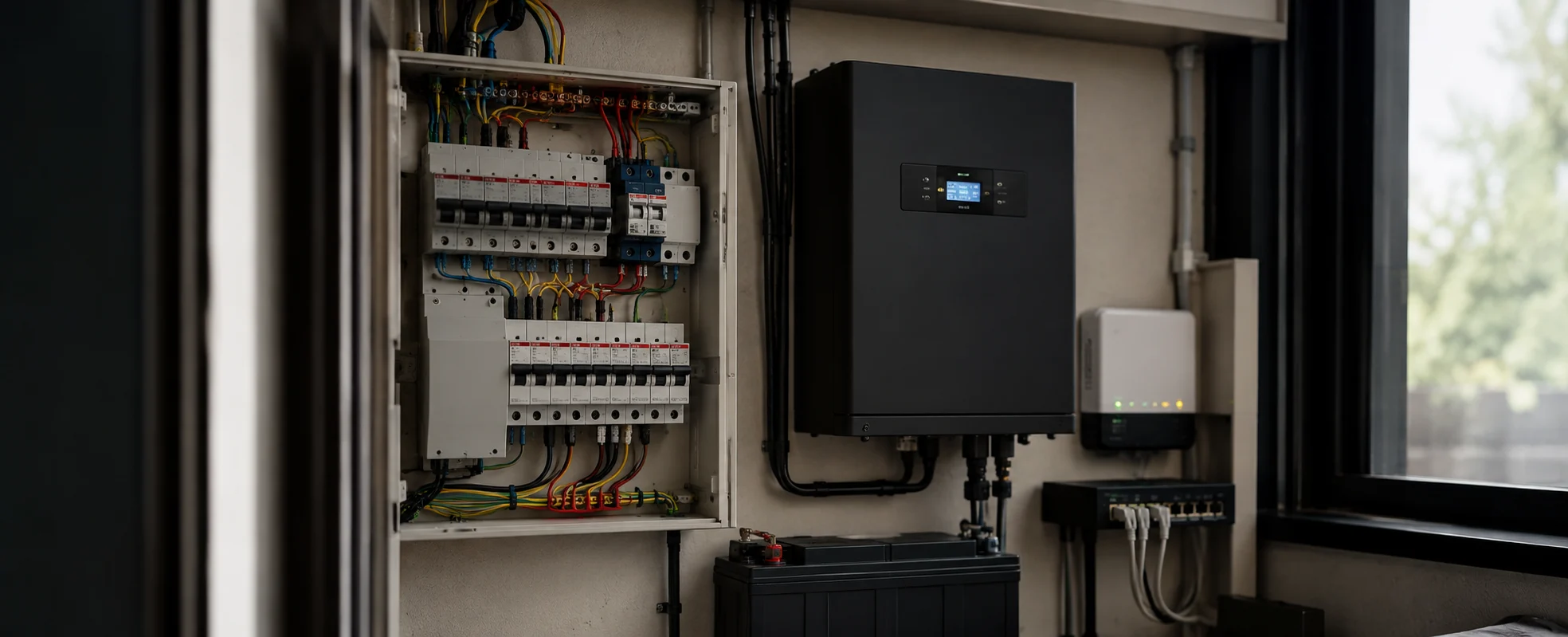
Almost every Indian home runs an inverter, a generator, or both. So the question comes up on nearly every project: what happens to all of this when the power goes out?
The short answer is that a well-designed system keeps working, and a badly designed one goes dark along with everything else. The difference is decided during wiring, not during the outage.
There's also a claim worth correcting, because it appears in a lot of automation marketing - including, sometimes, ours.
"Works Without Internet" Is Not "Works Without Power"
These get treated as the same thing. They aren't, and the distinction matters.
Working without internet is true of KNX and genuinely useful. The logic lives on a wired bus inside your home rather than on a server somewhere. If your broadband fails, scenes, schedules and switches carry on exactly as programmed. Only remote access and voice assistants stop.
Working without power is a separate question entirely. A KNX system runs on a bus powered by a KNX power supply unit, and that unit takes mains input like anything else. If mains is out and the power supply isn't backed up, the bus goes down and so does everything on it.
So when you read that a wired system "keeps working when the internet goes down", that's accurate. It says nothing about power cuts. Those need to be designed for separately.
Our guide to how KNX works explains the bus architecture this depends on.
What Backs Up What?
Three different things, often used interchangeably and doing quite different jobs.
| Inverter | Generator | UPS | |
|---|---|---|---|
| Switchover | Near-instant | 10–60 seconds typically | Instant |
| Runs for | Hours, battery dependent | As long as there's fuel | Minutes |
| Typically powers | Lights, fans, selected sockets | Whole house or selected circuits | Specific equipment |
| Suited to | Short, frequent cuts | Long outages | Protecting sensitive equipment |
Most homes with automation end up using a combination - inverter for the immediate gap, generator for extended outages, and often a small UPS on the rack or panel.
What Should Be on Backup?
This is the practical decision, and it's usually made badly because nobody asks the question at the wiring stage.
Essential - the system doesn't function without these:
| Item | Why |
|---|---|
| KNX power supply unit | Powers the bus. Without it, nothing on the system responds |
| Actuator panel | The devices that physically switch and dim |
| Router and network switch | Needed for remote access and any IP-based control |
| Selected lighting circuits | Whatever you actually want lit during an outage |
Worth considering:
Security system and cameras, if outage-time coverage matters. Video door phone, so the gate still works. One or two AC units in a hot-weather outage, if the backup is sized for it.
Generally not:
Home theatre, multi-room audio, decorative and garden lighting, non-essential AC zones. These are exactly what should drop off when the house moves to backup.
Load Management - What Automation Adds Here
This is where automation does something an inverter alone can't, and it's the most useful idea in this article.
Without it, the changeover to generator or inverter is uncontrolled. Everything that was running tries to keep running, the backup is overloaded, and something trips - usually at the worst moment.
With load management programmed in, the system knows when the house has switched to backup supply and sheds pre-agreed loads automatically. Theatre off. Garden lighting off. Spare-bedroom ACs off. Selected lighting drops to a lower level. When mains returns, everything restores.
Nobody runs to the panel. Nobody has to remember which switches to turn off.
On a KNX system, this is scene logic driven by a signal from the changeover panel. It needs to be decided at the design stage, because the panel has to provide that signal and the actuators have to be grouped accordingly.
What to decide in advance:
Which loads are essential, which are sheddable, and in what order. A three-tier arrangement usually works - always on, drop on inverter, drop only on extended outage.
The Generator Changeover Problem
Worth knowing about, because it causes faults that are hard to attribute.
When a generator starts and takes load, the supply is briefly less stable than mains. Repeated over years, that's harder on connected electronics than steady mains would be.
Reasonable precautions:
Proper surge protection at the distribution board, specified by your electrical contractor.
Sensitive equipment - the AV rack, the network gear, the automation panel - on a UPS rather than directly on the changeover, so it rides through the switchover cleanly rather than being interrupted and restarted.
Automation equipment on a stable circuit rather than sharing with heavy inductive loads like pumps and motors.
None of this is exotic. It's ordinary electrical practice that gets skipped when nobody is specifically responsible for the automation side.
What Happens During a Cut - Realistically
Assuming a properly designed setup:
The moment power goes out. If there's an inverter, the changeover is near-instant, and most people barely notice. Lighting on backup circuits stays on. The bus stays powered. Scenes and keypads keep working.
On generator. Ten to sixty seconds of darkness while the generator starts and takes load, then supply returns. The automation panel, if on UPS, never goes down at all - it rides through. Load shedding executes as programmed.
Remote access. Works if the router is on backup. This is the one most people forget, and it's a small load - putting the router and ONT on the inverter costs almost nothing and keeps the whole app-based side of the system alive.
When mains returns. The system restores. Well-programmed systems return to the state they were in rather than everything switching on at once, which is both jarring and hard on the supply.
What Should Be Planned During Construction?
The decisions that are difficult to change later:
Circuit segregation. Backup and non-backup circuits separated at the distribution board. Retrofitting this means rewiring circuits, which is the expensive part.
Panel space. The automation actuator panel needs a location on a backed-up supply, with room, access and ventilation.
A signal from the changeover panel. So the automation system knows which supply the house is on. Easy to provide at build, awkward to add afterwards.
Router and network on backup. Decide this at the wiring stage so the point exists.
Backup sizing. The inverter or generator needs to be sized for the loads you've decided to keep, including the automation panel. Worth confirming with your electrical consultant once the essential list is settled.
Our guide to home networking covers the network infrastructure side.
What About Wireless Systems?
Different picture, and worth being straight about.
WiFi-based smart home devices depend on the router, the internet connection, and often a cloud service. In an outage, if the router is down, so is most of the system - including devices that are themselves still powered.
Battery-powered wireless devices - sensors, some switches - keep working, but if the hub or router they report to is unpowered, that doesn't help much.
The honest comparison: a wired system with a backed-up power supply is considerably more resilient in an outage than a wireless one, but only because it was designed to be. A wired system with no backup is no better off. Our comparison of wired vs wireless smart homes covers the broader trade-offs.
What Does the Backup Side Add to a Project?
| Item | Approx. Cost |
|---|---|
| UPS for automation panel and network | ₹15,000 – ₹60,000 |
| Changeover signal integration and load-shed programming | ₹20,000 – ₹60,000 |
| Circuit segregation at DB (during construction) | Minimal - labour and layout, not new equipment |
| Circuit segregation as a retrofit | ₹40,000 – ₹1,50,000+ |
Indicative estimates for the automation-side work. The inverter, generator, batteries, and surge protection are electrical scope, quoted separately by your electrical contractor.
The pattern is the familiar one: during construction it's mostly a planning decision that costs very little. Afterwards it's rewiring.
FAQs
Does KNX work during a power cut?
Only if the KNX power supply and actuator panel are on backup. KNX works without internet because its logic runs locally on a wired bus - but the bus itself needs mains power. Without backup on that supply, the system goes down with everything else.
What should I put on inverter backup in a smart home?
At minimum, the KNX power supply and actuator panel, the router and network switch, and whichever lighting circuits you actually want during an outage. Security and video door phone are worth considering. Theatre, multi-room audio and decorative lighting generally shouldn't be.
Can automation switch off non-essential loads when the generator starts?
Yes, and it's one of the more useful things it does. Given a signal from the changeover panel, the system can shed pre-agreed loads automatically and restore them when mains returns. It needs planning at the design stage because the panel has to provide that signal.
Will my automation app work during a power cut?
Only if the router and modem are on backup. This is the single most commonly missed item, and it's a very small load - putting the router on the inverter keeps the entire app and remote-access side of the system alive.
Is a generator changeover harmful to automation equipment?
Generator supply is briefly less stable than mains during changeover. Proper surge protection at the distribution board and a UPS on sensitive equipment - the automation panel, AV rack, and network gear - are sensible precautions. This is ordinary electrical practice rather than anything specialised.
Can backup circuits be separated in an existing home?
Yes, but it means rewiring circuits at the distribution board, which is significantly more disruptive and expensive than segregating them during construction. If you're building, this is one of the cheapest decisions you'll make.
How do I size the inverter or generator for a smart home?
Decide the essential load list first - automation panel, network, chosen lighting, and any AC - then have your electrical consultant size the backup for it. The automation panel itself is a small load; the decision is really about how much lighting and cooling you want during an outage.
Planning a Home Automation?
Power backup and automation are usually handled by two different people who never quite have the same conversation. That gap is where most of these problems come from.
If you're building or renovating in Noida, Delhi NCR, Gurgaon, or Jaipur, talk to our team - we'd rather sort the essential load list with your electrical contractor at the drawing stage than diagnose it afterwards. You can also explore our home automation and networking services.