

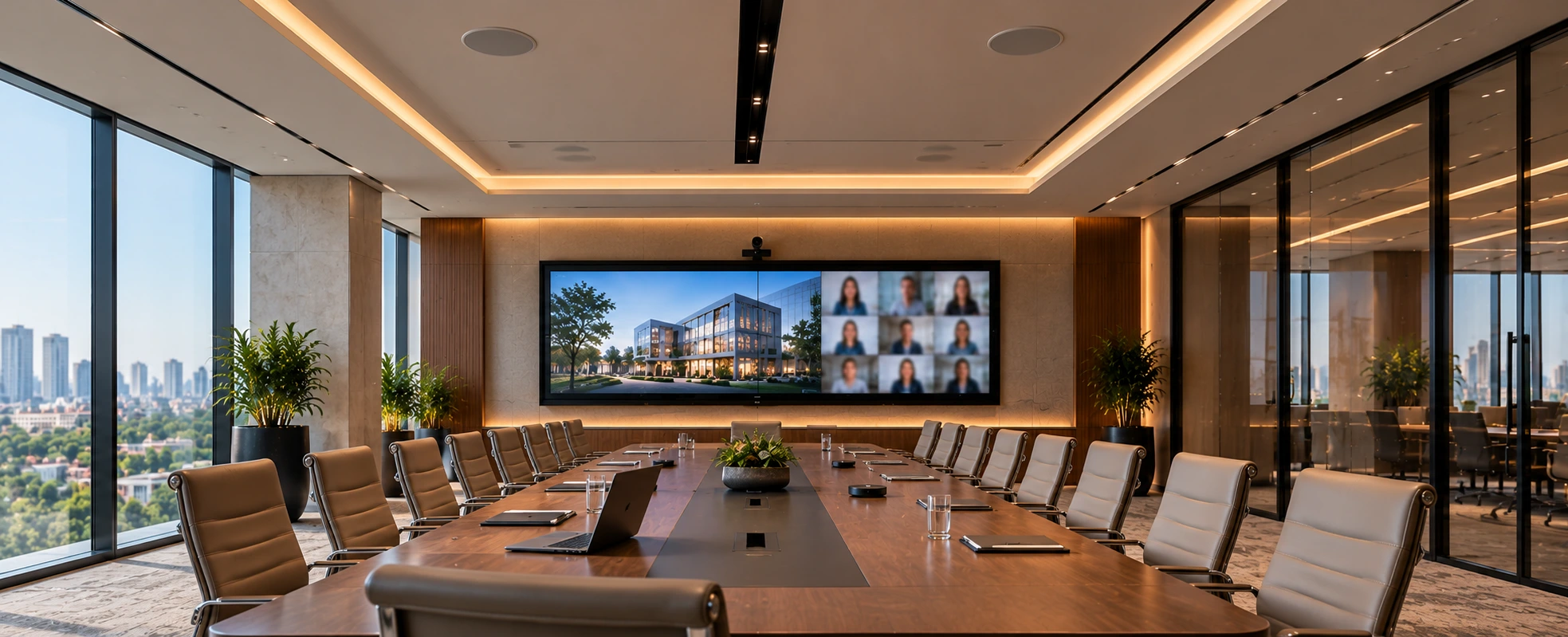
The best audio-video system for a conference room is the one matched to your room and the way your teams meet - not the longest spec sheet. A good system brings together a suitable display or LED wall, a camera that frames people well, clear microphones and speakers tuned to the room, audio processing with echo cancellation, simple control, and smooth compatibility with your video-conferencing platform (Zoom, Google Meet). For a small huddle room, an all-in-one video bar may be enough; a boardroom needs distributed audio, multiple cameras, and professional integration.
Few things undermine a business meeting faster than AV that doesn't work - the call that won't connect, the people on the far end who can't be heard, the scramble for the right cable. A well-designed audio-video conferencing system removes all of that, so a meeting just starts. This guide explains what goes into a great conference room AV system, how to choose one for your room size, and why the audio matters more than most people expect.
What Makes a Good Conference Room AV System
A good system is judged on one thing: does the meeting just work, every time? That comes down to clear video, excellent audio, and control simple enough that anyone can walk in and start. The technology should be invisible in use - the opposite of a room where the first ten minutes go to fighting the equipment.
Everything below serves that goal. For the fundamentals of AV systems generally, our complete guide to audio-visual systems is a good companion read; this article focuses on conference and meeting rooms specifically.
The Core Components of an AV Conferencing System
A conference room AV system is a set of parts working as one:
- Display or LED video wall — a screen sized and positioned so everyone, in the room and remote, can see clearly.
- Camera(s) — fixed wide-angle for small rooms, or PTZ / auto-framing cameras that keep participants well framed in larger rooms.
- Microphones — table, ceiling, or array microphones chosen to cover the whole room so no one is unheard.
- Speakers — positioned for even, clear sound throughout the room.
- Audio processor (DSP) — the piece most people don't see but always hear the lack of: echo cancellation, noise reduction, and balancing that make remote audio clean.
- Control — a touch panel or simple controller to start a meeting, pick a source, and manage the room in one tap.
- Connectivity and network — reliable, well-designed networking behind it all; see network management for commercial buildings.
- Video-conferencing platform integration — so it works with Teams, Zoom, or Meet the way your teams already meet.
Choosing the Right System for Your Room Size
The single biggest factor is the room. A huddle room and a boardroom need very different systems.
| Room type | Typical capacity | Display | Camera | Audio |
|---|---|---|---|---|
| Huddle / small | 2–6 | Single display | Fixed wide-angle/integrated bar | All-in-one bar or compact mic + speaker |
| Medium meeting | 6–12 | Large display | PTZ or auto-framing | Ceiling/table mics + speakers + DSP |
| Large / boardroom | 12–20+ | Dual displays / LED wall | Multiple / tracking cameras | Mic arrays + distributed speakers + DSP |
| Training / multipurpose | 20+ / flexible | LED wall / multiple displays | Multiple cameras | Zoned audio + mics + DSP |
For larger rooms, display choice itself becomes a decision - our guide to projector vs LED wall and our work on AV for large venues go deeper for bigger spaces.
Audio Is Half the Experience (and the Half People Forget)
Here is the thing we tell every client: people forgive imperfect video far more than bad audio. If the far end can't hear clearly - because of echo, room noise, or microphones that don't reach the far seats - the meeting fails no matter how sharp the picture is.
Great conference audio needs the right microphones for the room's shape and size, speakers positioned for even coverage, a DSP doing echo cancellation and noise reduction, and attention to the room's acoustics (hard glass-and-concrete rooms are notoriously echoey). It is the part of the budget most often cut, and the part that most determines whether the room is pleasant to use.
Works With Teams, Zoom and Google Meet
A system is only useful if it fits how your organisation actually meets. Conference room AV is typically set up in one of two ways: as a dedicated room system certified for a platform like Microsoft Teams or Zoom (ideal for consistency and one-tap join), or as a bring-your-own-device (BYOD) setup where anyone can plug in a laptop and use the room's cameras, mics and display with whatever platform they're on. Many organisations use a mix. The right choice depends on your teams, and it is worth deciding before specifying the hardware.
AV System vs Conference Room Automation
It's worth drawing a line between two related things. This guide is about the AV conferencing system - the cameras, displays, microphones, audio, and platform. Conference room automation is the layer around it: lights that set to a meeting scene, blinds that lower for a presentation, the room that powers up on a schedule or at the tap of a button. The two work best together, and we cover the control side in our guide to conference room automation and the broader picture in commercial AV integration for offices, hotels and auditoriums.
Why Professional AV Integration Matters
For a small huddle room with an all-in-one bar, an in-house setup is fine. For anything larger, professional integration is what separates a room that works from one that frustrates: the audio is designed for the space, cabling is clean and hidden, the system is calibrated, and it connects to your platform reliably every time. If you're evaluating partners, our guide on how to choose the right AV system integrator helps - and our office automation and audio-video pages show how we approach commercial spaces.
How TechVault Approaches Conference Room AV
We design conference and meeting room AV around how a room is actually used - the number of people, the platforms your teams run on, and the experience you want when someone walks in to meet. That means specifying the right display, cameras, and audio for the room, designing the acoustics and cabling properly, integrating control so a meeting starts in one tap, and tying it into the wider office where it helps. The goal is simple: rooms that just work.
If you're fitting out a conference room, boardroom or a whole office, the best first step is a conversation about your rooms and how your teams meet. Book a consultation to specify the right AV conferencing system for your space.
FAQs
What is the best audio-video system for a conference room?
There is no single best system - the right one depends on the room size and how it is used. A good conference room AV system brings together a suitable display (or LED wall), a camera that frames participants well, clear microphones and speakers tuned to the room, audio processing (DSP) with echo cancellation, simple control, and smooth compatibility with your video-conferencing platform. For a small huddle room, an integrated video bar may be enough; a boardroom needs distributed audio, multiple cameras, and professional integration.
What are the components of an audio-video conferencing system?
The core components are a display or LED video wall, one or more cameras (fixed, PTZ, or auto-framing), microphones (table, ceiling, or array), speakers, an audio processor (DSP) for echo cancellation and clear sound, a room controller or touch panel, reliable connectivity and network, and the software/hardware that connects to your video-conferencing platform such as Microsoft Teams, Zoom, or Google Meet. Good acoustics tie it all together.
How do I choose a conference room AV system for my room size?
Match the system to the room. Small huddle rooms (2–6 people) are well served by an integrated video bar; medium meeting rooms (6–12) usually need a large display, a PTZ or auto-framing camera, and ceiling or table microphones with a DSP; large rooms and boardrooms (12–20+) need multiple cameras, microphone arrays, and distributed speakers, and training or multipurpose rooms need zoned audio and flexible displays. A site assessment is the reliable way to specify it correctly.
Does a conference room AV system work with Teams, Zoom and Google Meet?
Yes. A well-designed system is built to work with the platforms your organisation uses - Microsoft Teams, Zoom, Google Meet, and others - either as a dedicated room system certified for a platform, or as a bring-your-own-device (BYOD) setup where anyone can connect their laptop and use the room's cameras, mics and display. The right approach depends on how your teams actually meet.
Why does audio matter so much in a conference room?
Because people forgive imperfect video far more than bad audio. If remote participants cannot hear clearly - because of echo, room noise, or poor microphone coverage - the meeting fails regardless of how good the picture is. Good conference audio needs the right microphones for the room, speakers positioned well, audio processing with echo cancellation, and attention to the room's acoustics. It is often the half of the system that gets under-invested in and matters most.
Do I need a professional to install a conference room AV system?
For a small huddle room with an all-in-one video bar, a simple setup can be done in-house. For anything larger - boardrooms, multiple rooms, integrated audio, control, and platform certification - professional AV integration is worth it. The difference shows in reliable audio, clean cabling, calibrated systems, and a room that simply works every time someone walks in to meet. Poorly integrated AV is one of the most common reasons meeting rooms frustrate people.